
A nurse I know spent her first week at a new trust convinced Allocate Loop was broken because she could log in but couldn't see her actual roster. Turns out logging in and connecting to your organisation are two genuinely separate steps, and nobody had walked her through the second one.
That distinction is exactly what most guides on this topic get wrong or skip entirely. Here's the complete, accurate picture of what Allocate Loop actually is and how the login process genuinely works.
What Allocate Loop Actually Is
Allocate Loop, now developed under RLDatix after acquiring Allocate Software, is a workforce app built specifically for the NHS and broader healthcare industry. It lets staff view rosters, book shifts, request leave, and communicate with colleagues, replacing the mix of spreadsheets, phone calls, and WhatsApp groups a lot of hospital teams were relying on before it existed.
This isn't a generic business tool for any team managing any kind of resource. It's purpose-built specifically for healthcare shift work, and understanding that context is genuinely the first step to using it properly.
Why the Two-Step Login Actually Matters
Here's the part that trips up new users constantly, and it's exactly what happened to the nurse I mentioned. Logging in and connecting your account to your NHS Trust are two separate actions, not one combined step.
You first create and log into your personal Loop account using your own email address. Only after that do you separately search for and connect to your specific organisation, at which point you enter your Employee or Healthroster username and password to link your Loop account to your actual roster record. Skip that second step, and you're logged in but seeing nothing useful.
How to Set Up Your Account and Log In
Here's the accurate, current process.
 Step 1: Create Your Loop Account
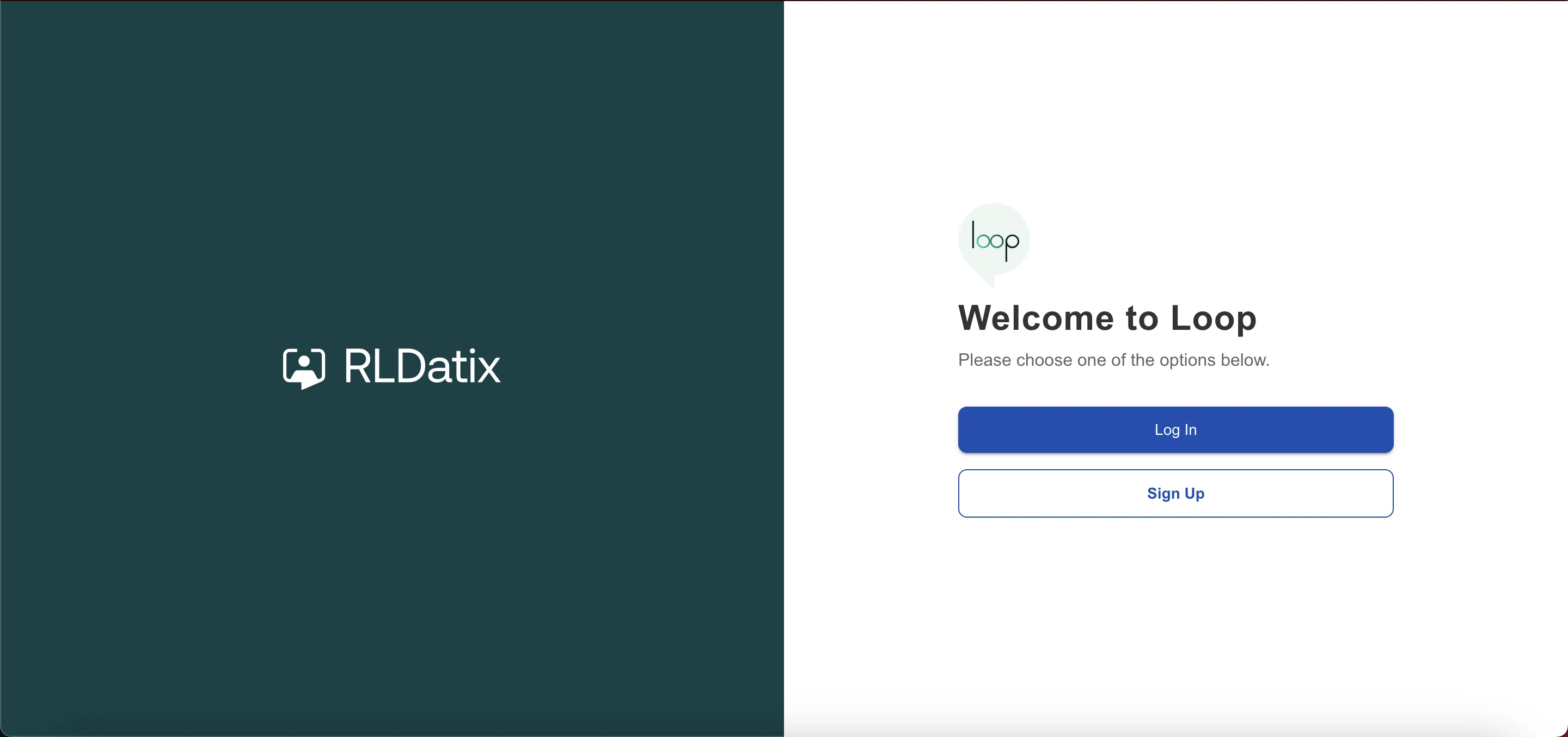
Download the app from the App Store or Google Play, or visit Loop Web directly at web.loop.allocate-cloud.com/loop/login. Tap Sign Up and enter your email address, ideally your personal email rather than a work one, since this becomes your permanent Loop account login regardless of which organisation you later connect to.
Step 2: Verify Your Email
After signing up, you'll receive a verification email. Confirm it, and Loop will show an Email Verified message before letting you continue.
Step 3: Log In With Your New Credentials
Enter the email address and password you just registered and tap Log In. If your organisation offers an alternative login method by text code, note that this option isn't currently operational across all setups, so skip past it if prompted.
Step 4: Connect to Your Organisation
This is the step people miss. Tap Connect to My Organisation, search for your specific NHS Trust or healthcare organisation by name, select it, and confirm. You'll then be asked for your Employee or Healthroster username and password specifically, which links your Loop account to your actual roster data.
Step 5: Wait for the Overnight Sync
Since systems sync overnight, you may not see your full roster or team data immediately after connecting. Give it until the next day before assuming something's broken.
What You Can Actually Do Once You're Fully Connected
Once both steps are complete, the app genuinely covers a lot of ground for shift-based healthcare work.
You can view your own roster in calendar format and see your team's roster to know who you're working alongside on any given day. Booking vacant or bank shifts, requesting annual and study leave, and requesting preferred duties in advance are all handled directly in the app, though availability of these specific features varies by organisation.
On the communication side, you can message colleagues instantly without ever needing to share personal contact details, get automatically added to staff groups when a new roster posts, and follow organisational updates through a built-in newsfeed. There's also an anonymous reporting feature specifically for raising safety concerns about a colleague directly to your organisation.
Common Login Problems and How to Actually Fix Them
Here are the specific errors people run into, based on real troubleshooting documentation from NHS trust guides.
"The account for Login Name already has an Allocate Account" or a similar linked external identity error. Log out completely and sign back in using your Loop username, meaning your email address, and password. If you're unsure of the password, use the Don't Remember Your Password link rather than repeatedly guessing.
"The account is already associated with selected trust" despite this being your first attempt. This often happens in an area with poor signal or an unstable network connection, where the connection process times out mid-request. Log out of Loop entirely and log back in, then retry connecting to your organisation.
App not logging in at all. Double-check your organisation's specific domain and your correct staff ID before assuming your password is wrong, since a mismatched domain produces the same failure as an incorrect password on the surface.
SSO Login Options
Loop supports single sign-on for organisations set up that way, which simplifies the process considerably once configured. If your organisation doesn't use a shared email domain, you can get a direct link to log in using your specific non-email domain username. If your organisation does share a common domain, you access a dedicated SSO login screen using those shared domain details instead of your personal Loop credentials.
Which option applies to you depends entirely on how your specific trust or organisation has configured access, so check with your IT or workforce team if you're unsure which path is yours.
Security and Data Protection
Given this handles real staff scheduling and internal messaging data, security is built in at a level appropriate for healthcare specifically. The platform runs on GDPR-compliant cloud infrastructure with encrypted communications and secure logins, and user access is controlled directly by each organisation rather than being open by default.
All messaging happens entirely within the app itself, with no personal contact information shared between colleagues unless they choose to share it directly. Because it's officially adopted for healthcare use, NHS trusts and hospitals can rely on it for staff communication and scheduling without separately managing that compliance layer themselves.
What Real NHS Staff Say About It
Actual reviews from staff across multiple trusts consistently highlight the same practical benefits. Being able to see an entire team's location across multiple hospital sites and surgical outpatient units from one screen comes up repeatedly. So does the shift booking and leave request process being meaningfully faster than calling a ward to check on shifts during annual leave.
The most common praise across reviews centers on efficiency specifically, staff no longer needing to phone in or track things manually because their schedule and leave status is visible directly in the app whenever they check it.
Comparing This to Other UK Workforce Platforms
If you're evaluating healthcare or business workforce management software more broadly, not just this one specific app, it's worth understanding how the login and account-linking pattern compares across similar UK-based platforms. Our guide to Moorepay login covers a comparable UK payroll and HR system with its own account setup and self-service structure, a genuinely useful comparison if your organisation is weighing multiple workforce tools rather than just this single app.
Where to Verify Current Official Information
Since Allocate Loop is officially used across NHS trusts, NHS England's guidance on digital workforce systems is a genuinely authoritative, non-commercial source for understanding how these staff-facing digital tools fit into the broader NHS technology landscape, worth checking if you want context beyond just this one app.
My Honest Take
Allocate Loop genuinely solves a real, specific problem for NHS and healthcare staff, replacing scattered spreadsheets and phone calls with one connected app for rosters, shifts, leave, and team communication. The login process itself is straightforward once you understand it's actually two steps, not one, personal account login first, then organisation connection second.
If you're stuck specifically at the connection stage rather than the initial login, that's almost always a domain, network, or overnight sync issue rather than a fundamentally broken account, so don't panic and start creating duplicate accounts before trying the specific fixes above first.
FAQs
What is Allocate Loop used for?
It's a workforce app for NHS and healthcare staff to manage rosters, book shifts, request leave, and communicate with colleagues securely.
Why can I log in but not see my roster?
Logging in and connecting to your organisation are separate steps. You must search for and connect to your specific NHS Trust after your initial login.
How do I fix an "account already associated with selected trust" error?
This is usually caused by a network timeout. Log out of Loop completely and log back in before retrying the connection.
Can I access Allocate Loop on mobile and web?
Yes, it's available as an app on iOS and Android, plus a web version called Loop Web accessible through any browser.
Is Allocate Loop secure for handling staff data?
Yes, it runs on GDPR-compliant infrastructure with encrypted communications, and access is controlled directly by each connected organisation.