
If you're a content creator, social media manager, or business producing videos, you’ve likely heard about submagic an AI‑powered tool designed to simplify video editing and help make videos more engaging and shareable.
Submagic is becoming popular because it helps users create scroll‑stopping short videos the kind that perform well on platforms like TikTok, Instagram Reels, and YouTube Shorts without spending hours on editing. Whether you’re new to video editing or experienced, submagic offers a fresh workflow built around automation, speed, and simplicity.
What Is Submagic?
At its core, submagic is an AI video editing platform that transforms raw footage into polished, short‑form videos quickly and efficiently. It uses artificial intelligence to automate tasks that normally take hours, such as generating captions, trimming content, adding visual styles, and formatting videos for social platforms.
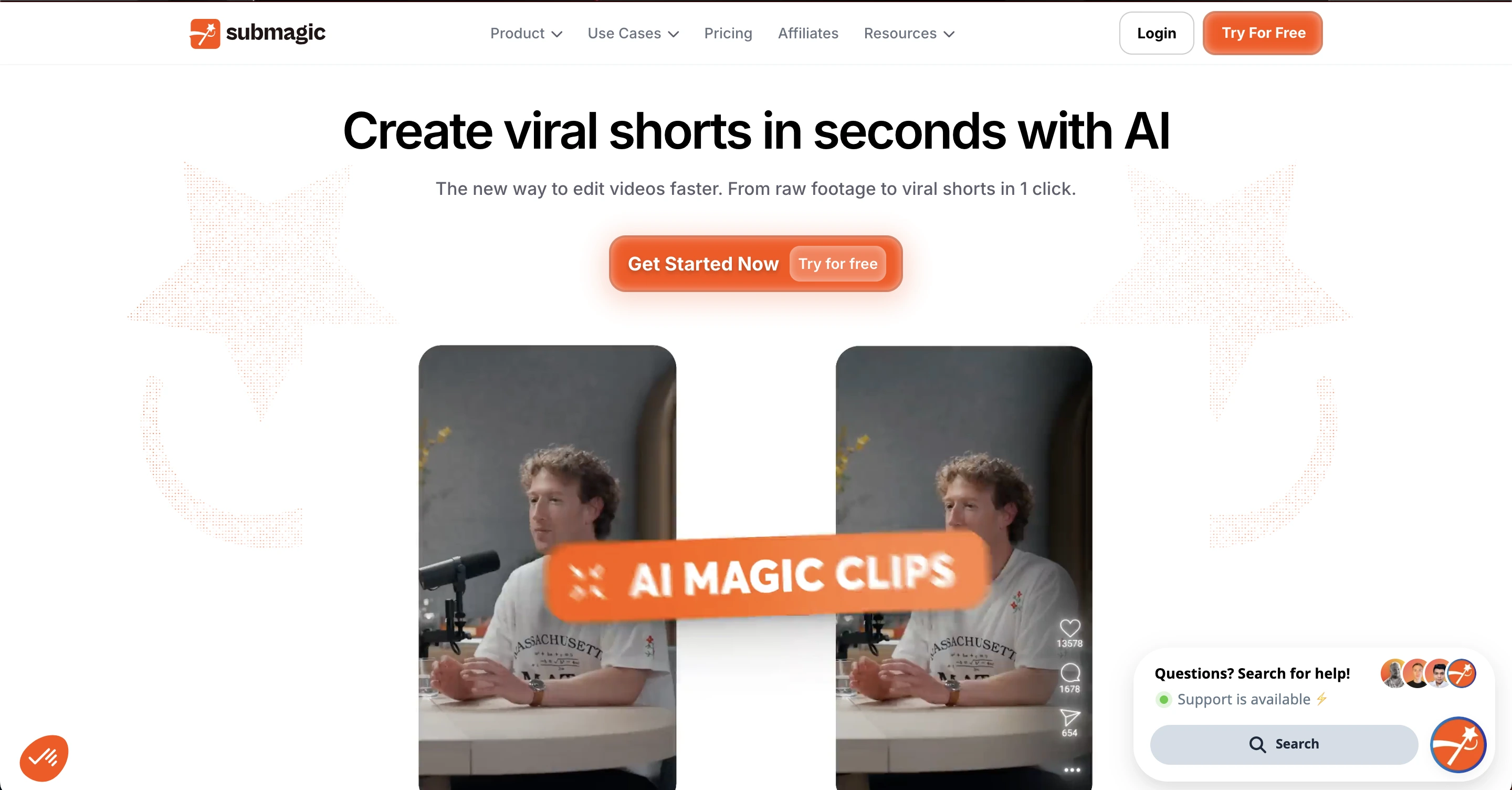
Instead of relying on complex timelines and traditional editing techniques, submagic lets you work with text and smart tools that understand your footage. This approach makes video creation accessible even if you have no editing experience.
Why Submagic Matters for Modern Creators
Video is the fastest‑growing form of online content, especially short videos under 60 seconds. These short clips attract attention, increase engagement, and help creators grow audiences on every major platform. But creating these videos manually is time‑consuming. That’s where submagic comes in.
With submagic, the focus shifts from manual editing to creative decision‑making. The AI handles the repetitive parts like captioning and formatting so you can focus on storytelling, messaging, and audience connection.
Key Features
Below is a detailed breakdown of the most important features that make submagic a powerful video tool:
1. Automatic Captions in Multiple Languages
One of the standout features of submagic is its ability to generate accurate captions automatically. The AI transcribes speech into text and styles the captions for readability and engagement. This not only improves accessibility but also helps viewers who watch without sound.
2. Caption Customization and Styles
Submagic doesn’t just generate plain subtitles. It offers a variety of caption styles and formats that match different types of content. You can choose colors, fonts, emoji styles, and caption animations that fit your brand voice.
3. Text‑Based Editing
Instead of editing on a timeline like traditional software, submagic lets you edit by working with the text transcript. You can remove unwanted parts, silence, or filler words simply by clicking or highlighting text. This method makes editing faster and more intuitive.
4. Magic Clips Repurpose Longer Videos
Long videos like interviews, webinars, and podcasts can be hard to convert into shorts. Submagic’s Magic Clips feature automatically identifies key moments and creates multiple short clips optimized for social media.
5. Auto B‑Roll and Stock Integration
To make videos more visually appealing, submagic injects B‑roll footage additional clips that enhance context. This includes stock videos, GIFs, and visual elements that help break up long talking heads and keep attention strong.
6. Smart Transitions and Auto‑Zoom
Instead of manually adding transitions and zooms, submagic applies them intelligently, based on pacing and key moments in your footage. These transitions help make videos feel dynamic and professional without extra effort.
7. Music, Sound Effects & Audio Cleanup
Submagic includes background music options, automatic sound effects, and audio cleanup tools that remove noise and improve clarity. This helps your videos feel more polished and professional.
8. Social‑Ready Output Formats
Submagic allows you to export your videos in the optimal formats for TikTok (9:16), Instagram, YouTube, and other platforms, usually up to 4K resolution at 60fps.
How Submagic Works
Here’s a simple look at how the workflow works:
Upload Your Video Add your file or paste a YouTube link. Submagic accepts most popular video formats.
AI Processes the Content The AI generates captions, identifies key scenes, and prepares visuals.
Customize Your Edit Use text editing and visual tools to refine the video if needed.
Export for Platforms Choose the format you need and export your short video, ready for posting.
This simple process eliminates many traditional editing steps, which can save creators days of work every month.
Read Also: Openfuture.ai Opendream: Innovative AI Platform for Creativity
Use Cases
Submagic is versatile, but it shines in these specific scenarios:
1. Social Media Creators
If you publish daily or weekly content on TikTok, YouTube Shorts, or Instagram Reels, submagic can help you produce more videos in less time — increasing consistency and audience growth.
2. Businesses and Marketing Teams
Marketing teams use submagic to generate engaging promos, highlights, and announcements that attract attention without hiring full‑time editors.
3. Agencies
Creative and marketing agencies often juggle many projects. Submagic helps them deliver high‑quality content to clients faster and with fewer resources.
4. Podcasters and Interview Hosts
Podcasts and interviews often contain long sections that can be turned into short clips for promotional use. Magic Clips helps repurpose content easily.
5. Educators and Trainers
Teachers and instructors can add clear captions and cut long lessons into smaller clips to make learning easier and more accessible to learners worldwide.
6. Product Showcases and E‑Commerce
Businesses selling products online can use submagic to create product demos, testimonials, and promotional visuals all optimized for social feeds.
Pros and Cons
Pros | Cons |
|---|---|
Saves a lot of editing time with AI automation | Browser-based only, no desktop or mobile app yet |
Easy for beginners, no editing experience required | AI may require minor manual adjustments |
Accurate, customizable captions in multiple languages | Mainly designed for short-form content |
Helps boost engagement on social media | Limited advanced editing features |
Magic Clips feature repurposes long videos automatically | Some stock footage may be generic |
Smart transitions, auto-zoom, and audio cleanup | Not suitable for cinematic or professional long-form editing |
Optimized output formats for social platforms | Dependent on internet connection for cloud processing. Since all processing happens in the cloud, the quality and speed of your videos depend heavily on the reliability of the hosting infrastructure behind the scenes. Tools that require consistent uptime and fast server response times benefit from solid VPS hosting providers that specialize in performance and low-latency delivery |
Ideal for creators, businesses, and agencies | Free or low-tier plans have limited features |
Pricing and Plans
Submagic provides tiered plans tailored to different types of users, making it easy to choose an option that fits your needs. The Starter Plan is an affordable choice ideal for beginners and small creators who want basic captioning and editing tools.
The Professional Plan is designed for more active users, offering the ability to handle more videos per month along with enhanced tools for greater efficiency. For teams, agencies, or high‑volume creators, the Business Plan is the most comprehensive, providing advanced features such as multi‑language translation and priority support.
All plans include automatic captions, export options, and access to Submagic’s core features, with higher tiers unlocking additional capabilities to streamline professional workflows.
Tips to Get the Most from Submagic
Getting the most from Submagic involves a few simple but effective strategies. Start by preparing your script before uploading your video, since clear and well-organized audio greatly improves caption accuracy.
Make smart use of templates to maintain a consistent style, which helps strengthen your brand identity across all content. Always review the generated captions making small tweaks can enhance both clarity for viewers and SEO performance.
Finally, take advantage of batch editing multiple videos at once to save time and boost your overall productivity.
Submagic vs Traditional Editing Tools
Feature / Aspect | Submagic | Traditional Video Editing Tools |
|---|---|---|
Ease of Use | Extremely beginner-friendly; text-based editing | Steeper learning curve; timeline-based editing |
Speed | Fast; AI automates captions, cuts, and highlights | Slower; manual editing required for most tasks |
Captions | Automatic, multi-language, customizable | Usually manual, requires extra work or plugins |
Short-Form Video Creation | Optimized for TikTok, Instagram Reels, YouTube Shorts | Can create short-form, but requires manual formatting |
Repurposing Long Videos | Magic Clips auto-extracts highlights | Manual clipping and trimming required |
Transitions & Effects | AI-assisted smart transitions, auto-zoom | Manual, can be more customizable but time-consuming |
Audio Tools | Noise removal, music, sound effects automated | Manual audio cleanup; external software sometimes needed |
Stock & B-Roll | Integrated stock videos automatically suggested | Must source and import manually |
Output Formats | Social-media ready with optimal resolutions | Can export in any format, but setup required |
Best For | Social media creators, small businesses, marketers | Professional editors, filmmakers, complex projects |
Cost & Accessibility | Browser-based subscription; affordable tiers | Software license or subscription; may require high-end computer |
AI Assistance | Core feature for editing, captions, and clips | Usually no AI; fully manual control |
Final Thoughts
Submagic is one of the most accessible and useful AI tools for anyone looking to produce short, engaging videos quickly. Its automation features, caption tools, and workflow make it ideal for creators, businesses, and teams that produce frequent video content.
While it won’t replace advanced video editing software for cinematic projects, it fills a gap for online content helping you turn ideas into scroll‑ready videos in a fraction of the time traditional editing requires.
If you want to publish more videos, attract more viewers, and simplify your editing process without technical complexity, submagic is worth exploring.
Frequently Asked Questions (FAQs)
What is Submagic?
Submagic is an AI-powered video editing tool that turns raw videos into short, engaging content with captions, smart cuts, and ready-to-share formats.
Who should use Submagic?
Social media creators, marketing teams, agencies, podcasters, educators, and anyone creating short video content can benefit from Submagic.
Can I add captions in different languages?
Yes! Submagic supports automatic captions in multiple languages and allows you to customize style, font, and animation.
Is Submagic easy for beginners?
Absolutely. Its text-based editing and AI automation make it beginner-friendly, requiring no prior editing experience.
Can I repurpose long videos?
Yes, the Magic Clips feature can cut long videos into multiple shorts optimized for social media.
What export formats does Submagic support?
Submagic exports videos in formats optimized for TikTok, Instagram, YouTube, and other platforms, usually up to 4K resolution.