
My cousin Sara was trying to make her sister's birthday video more interesting last month. She wanted the family photos to come alive somehow. Someone in her group chat dropped a link to Unboring AI and she had no idea what it was.
I told her let me look into it properly before she hands over any payment details. Three hours later I had a clear picture of exactly what this tool does, who it's built for, and whether the token system is actually worth it.
Here's everything.
The Company Behind It
Before getting into features, here's something worth knowing upfront.
Unboring is built by Reface, a Ukrainian AI company that's been developing face technology since 2019. The Reface mobile app alone has over 474,000 reviews on the Apple App Store with a 4.8-star rating.
Unboring is essentially the web-based evolution of that same technology, now called RefaceAI, which has been tested on millions of users worldwide over five years of development.
That backstory matters. This isn't a random startup slapping "AI" on a basic tool. It's a company with a serious track record in face technology building a more feature-rich web platform off the back of that experience.
What Unboring AI Actually Does
Unboring is a browser-based AI creative platform that combines face swapping, photo animation, and video restyling in one place.
The whole idea is giving anyone the ability to create engaging, shareable content without touching any editing software. You pick a template or upload your media, apply an effect, and download the result in seconds.
The platform works on desktop browsers on Windows and macOS and has mobile apps on both Android and iOS. You're not locked into one device which matters when you want to create something quickly on your phone and finish it on a laptop.
 The Three Core Features
Let me break down what's actually inside the platform because there are three distinct things going on here.
Face Swapping
The face swap feature lets you replace faces in photos and videos with AI morphing. You upload a portrait, select your target template or image, and the AI blends the face with automatic lighting and expression matching.
Photo face swaps complete in seconds. Video face swaps take a little longer but are genuinely fast compared to traditional editing tools. The output includes a before-and-after slider so you can see exactly what changed.
Results export as JPEG for photos. Video outputs are ready to share directly to social media platforms.
Photo Animation
This is the feature Sara actually needed. Photo animation brings static images to life. You upload a photo and the AI makes the subject sing, dance, laugh, or move.
The effect works by detecting the face in the image and mapping pre-built motion sequences onto it. It looks significantly more polished than older apps doing similar things because the RefaceAI engine has been trained specifically on this kind of output at scale.
The catalog includes dozens of ready-made ideas covering different moods, music styles, and movement types. You pick one, apply it to your photo, and the animation renders in seconds.
Video Restyling
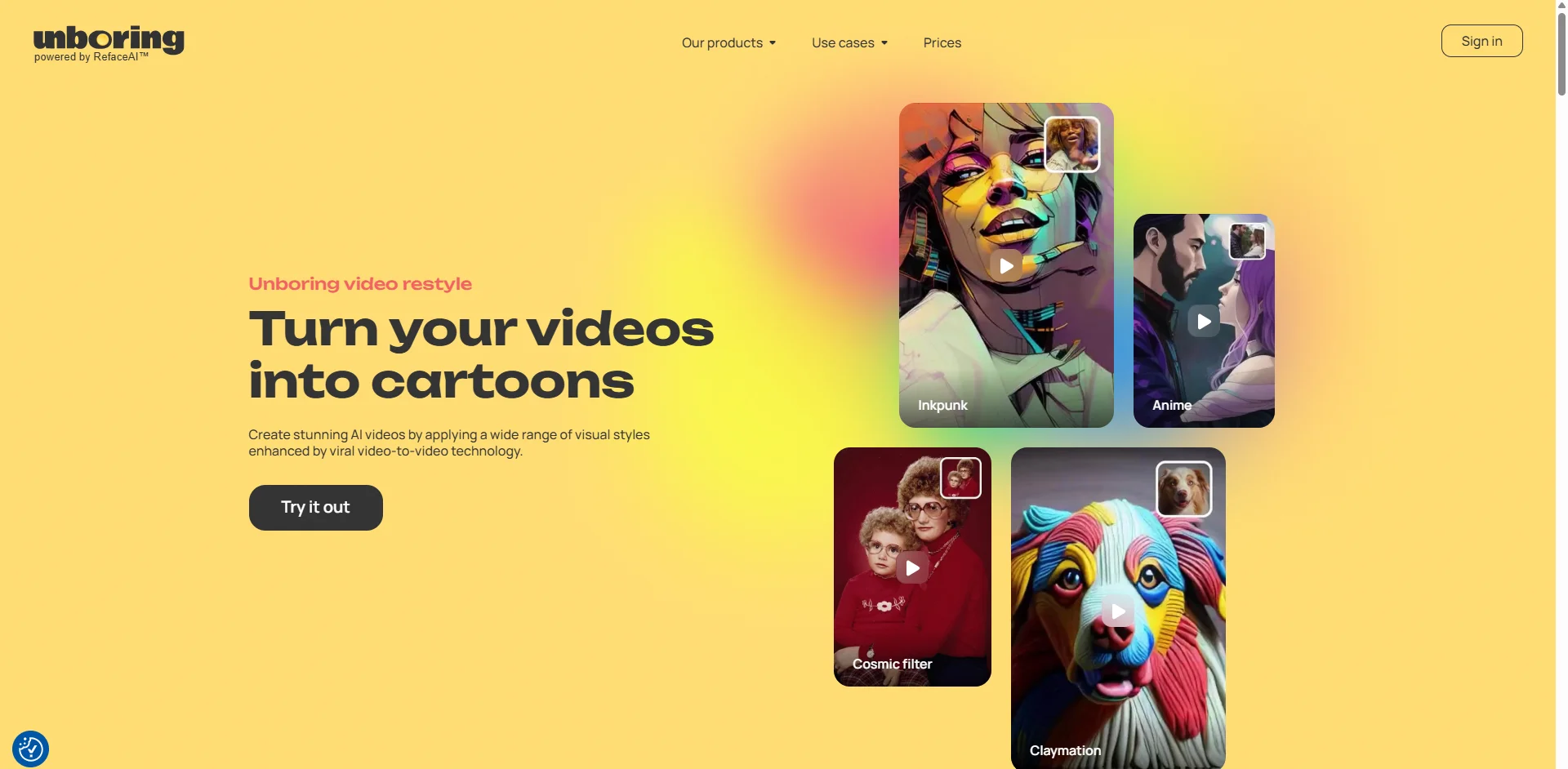
The third feature is video restyling through AI-driven filters that convert footage into different aesthetic styles. Think cartoon, sketch, cinematic, or stylized visual effects applied to your own video clips.
This feature is the most experimental of the three. Results vary more than with face swapping. Some styles look genuinely impressive on the right kind of footage. Others feel more like a heavy filter than a true style transfer.
From what I saw, simpler shots with clean lighting produce the best restyling results. Complex scenes with lots of movement are less predictable.
The Template Catalog
Here's something that separates Unboring from tools that just give you blank tools to experiment with.
The platform is primarily entertainment-oriented, meaning users can select from a wide range of ready-made ideas provided in the catalog. Templates cover family photo animations, meme creation with custom faces, pet videos, celebrity-style moments, and seasonal content.
The catalog is genuinely large and gets updated regularly. For anyone who wants to create something fun without starting from scratch, browsing templates is the fastest way to get a good result quickly.
The flip side is that if you want something highly custom that isn't in the catalog, you're working against the platform's design rather than with it. Unboring is built around templates first. Fully custom workflows are possible but not what the tool optimizes for.
How the Token System Works
Here's the part that requires the most attention before you subscribe.
Unboring runs on a token-based model. Every action costs a token. One token equals one animation or one face swap with one face. New users receive 5 free tokens on signup.
The Basic subscription runs $9.99 per month for 50 tokens. That sounds reasonable until you start doing the math on how quickly tokens disappear when you're experimenting with different templates or retrying an output that didn't quite work the first time.
Output consistency is the sticking point here. Face swaps and video restyles can nail it on the first try or take three attempts. When you're burning tokens on retries, the value calculation shifts fast.
At $9.99 for 50 tokens you're essentially paying about $0.20 per output on average. For occasional use that's perfectly reasonable. For a content creator producing ten to fifteen pieces of content a day, the math stops working quickly and you'd need a higher tier plan.
Pricing Tiers: What Each Plan Actually Gets You
Let me break down the tier structure clearly.
The free signup gives you 5 tokens to test the platform. That's enough for a few outputs to understand the quality before spending anything.
The Basic plan at $9.99 per month gives you 50 tokens. Good for casual users making content a few times a week.
Higher tiers increase token allocation and unlock commercial use rights. Commercial use is only allowed on Creator-level plans and above. The lower tiers are for personal and non-commercial content only.
One thing worth noting: tokens are purchased individually too if you don't want a subscription. That buy-as-you-go option works well for someone who uses the tool occasionally and doesn't want a monthly recurring charge.
Processing Speed: One of Its Genuine Strengths
From what I saw consistently across user reports, processing speed is one of the things Unboring actually gets right.
Photo face swaps complete in seconds. Video swaps are quick compared to similar tools. Most video outputs are ready within one to three minutes depending on complexity and server load.
For a browser-based tool doing real-time AI processing, that speed is genuinely impressive. Waiting for outputs is one of the most frustrating parts of using any AI creative tool. Unboring minimizes that friction more than most.
Privacy: The Bit You Should Actually Read
Here is something I want to flag clearly because it matters when you're uploading photos of your face and your family.
Reface collects biometric data. The privacy policy has reportedly shifted toward less restrictive terms over time according to users who've been on the platform since the early days.
Media you upload is retained on their servers for 30 days before deletion. That 30-day retention window is worth knowing if you're uploading personal photos you'd rather not have sitting on a cloud server for a month.
For casual fun content using your own face, the privacy trade-off is broadly similar to other consumer AI tools. But if you're privacy-conscious about biometric data specifically, reading the full privacy policy before uploading is worth the five minutes.
Billing Issues: A Pattern Worth Knowing About
I want to be real with you here because billing issues are the most common complaint around the broader Reface ecosystem.
Trustpilot reviews for Reface flag billing and cancellation friction repeatedly. These reviews are primarily aimed at the mobile Reface app rather than the desktop Unboring platform, but the same company manages both billing systems.
The practical advice: use a virtual card or a card you can easily cancel recurring charges on. Make sure you know exactly how to cancel before you subscribe rather than trying to figure it out after you want to stop. That one step prevents the most common frustration pattern.
Where It Performs Best and Worst
Let me be specific about conditions because this is where honest reviews actually help.
Best results: front-facing photos with clear lighting and a single subject. These produce the cleanest face swaps and the most natural-looking animations. Simple video clips with moderate pacing and consistent lighting.
Weakest results: extreme angles, poor lighting, heavy motion in video, and multiple faces in complex compositions. Face swap quality drops noticeably in these conditions across all tools in this category and Unboring is no exception.
Who This Tool Is Actually For
From everything I looked at, Unboring fits a specific type of user very well.
It's a genuine fit for casual content creators who want quick, shareable social media content without learning complex software. Birthday video makers, meme creators, and anyone who wants to make family photos more engaging will get real value from the platform at the Basic tier.
It's less suited for professional content production at volume, anyone needing commercial rights on a budget, or users who want deep customization beyond what the template catalog offers.
The comparison that keeps coming up is that for occasional creative fun, the token model works. For regular high-volume production, the per-token cost makes CapCut or Canva's AI tools a more economical choice.
If you're comparing face swap tools before committing to one, I also broke down DeepSwapper AI recently and the billing situation over there is worth knowing about. Check out the DeepSwapper AI review before you decide.
My Actual Take
Here's exactly what I told Sara.
Unboring AI does what it says on the tin. The photo animation feature for her sister's birthday video was exactly the right use case. Five free tokens was enough to test whether the quality was good enough. She used two tokens, loved the output, and paid for the Basic plan.
For a one-off occasion or occasional social media content, $9.99 for 50 tokens is a fair price for the quality you get. Don't go in expecting unlimited experimentation at that price point. Be deliberate about what you create and the token math works.
Just read the cancellation process before you subscribe. That single step saves the friction that a meaningful number of users ran into.
FAQs
What is Unboring AI?
Unboring AI is a browser-based creative platform by Reface that combines face swapping, photo animation, and video restyling using RefaceAI technology, built for social media content creation without any editing skills required.
Is Unboring AI free?
New users get 5 free tokens on signup. The Basic paid plan starts at $9.99 per month for 50 tokens. Individual token purchases are also available without a subscription.
Is Unboring AI safe to use?
The platform is legitimate and built by an established company. Reface collects biometric data and retains uploaded media for 30 days. Read the privacy policy before uploading personal photos if biometric data collection is a concern for you.
What is a token in Unboring AI?
One token equals one animation or one face swap with one face. Tokens are consumed per output. Retrying an output that didn't work the way you wanted costs another token.
Can I use Unboring AI for commercial projects?
Commercial use rights are only included on Creator-level plans and above. The Basic plan at $9.99 per month covers personal and non-commercial use only.