
If you have run into the name ConnectWise and come away confused about what it actually is, you are not alone. Part of the confusion is that ConnectWise is not a single product.
It is a whole suite of tools built for the companies that run other companies' IT.
So let us clear it up properly. ConnectWise is a software company, more than 40 years old, that builds the systems managed service providers and IT teams use to deliver, monitor, secure, and bill for technology services.
Think ticketing, remote access, monitoring, security, and the billing that ties it together.
This guide breaks down what ConnectWise is, the main products in the suite, the big 2026 platform shift, what it costs, where it shines, and where it frustrates people. By the end you will know exactly what sits behind the name.
Who ConnectWise Is Actually For
Before the products, the audience, because it explains everything about how ConnectWise is built.
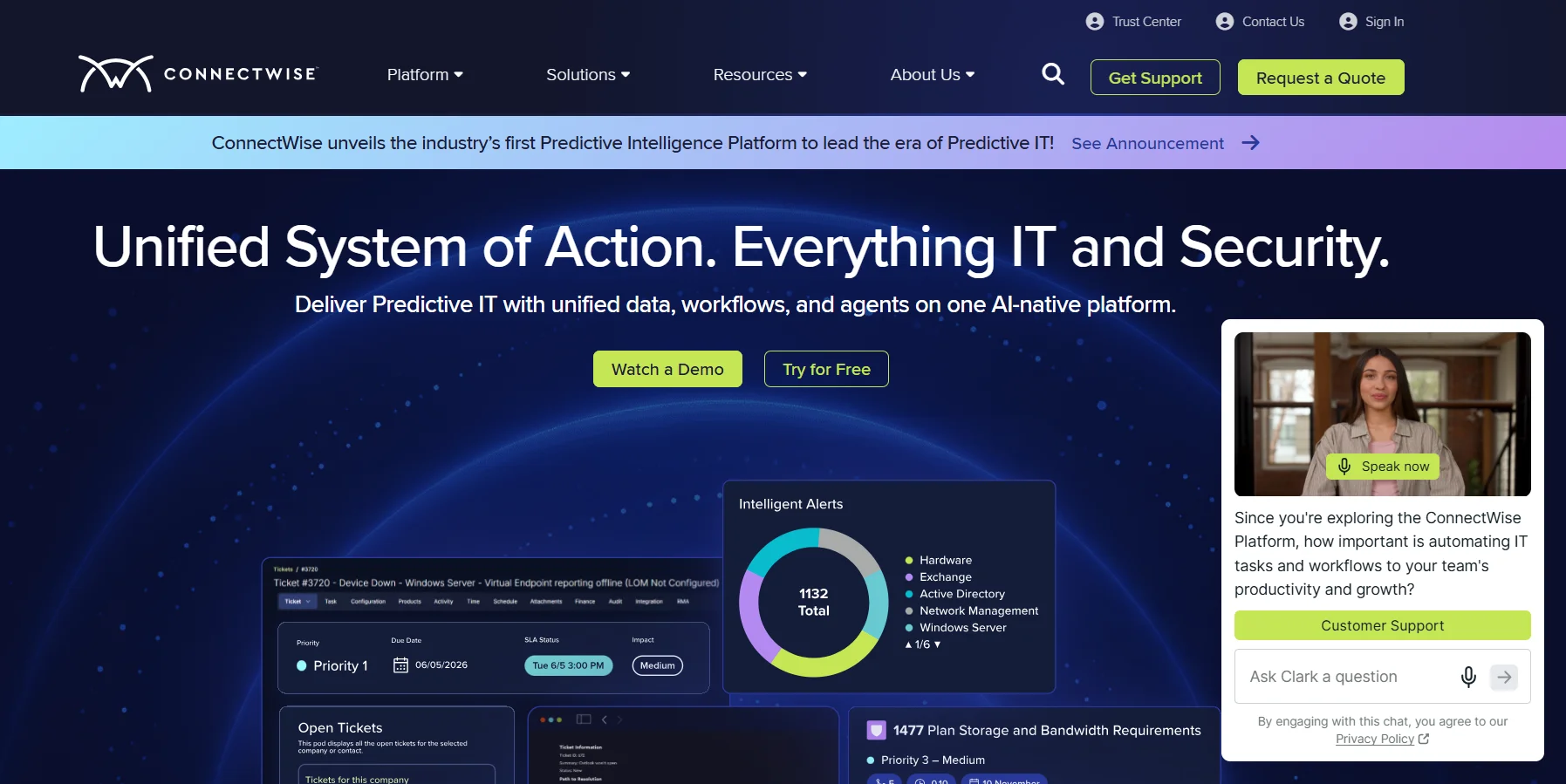 ConnectWise is built first and foremost for MSPs, managed service providers. Those are the companies businesses hire to run their IT: the help desk, the monitoring, the security, the patching, all outsourced to a specialist.
If you have ever had "the IT company" fix your office network, that was likely an MSP.
It also serves internal IT departments at larger organizations that operate a bit like an in-house MSP, running tickets, endpoints, and security across the business.
That focus matters. ConnectWise is designed for teams managing many clients and thousands of devices at once, not for a single small business managing its own handful of computers.
Keep that in mind, because it shapes whether the platform is right for you.
What Is ConnectWise, Really? A Suite, Not One Tool
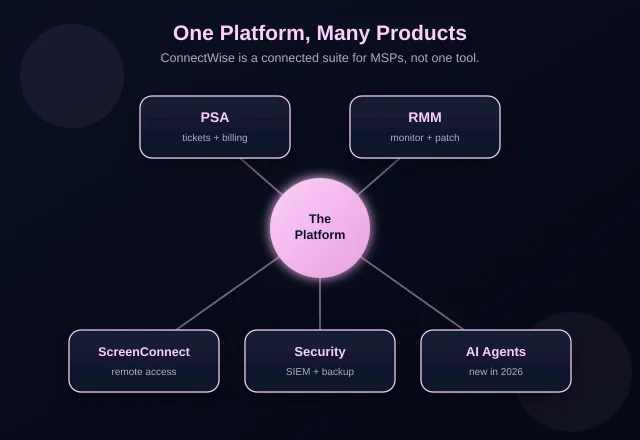
Here is the single most useful thing to understand. ConnectWise is a suite of connected products, and most people only ever touch one piece of it.
The company started decades ago as a professional services automation vendor and grew, through acquisitions and its own development, into a full stack for running an IT services business.
Today that stack covers ticketing and billing, remote monitoring, remote access, security, and data protection.
Most MSPs do not buy all of it at once. They usually start with one or two modules and add more as they grow into the ecosystem.
So when someone says "we use ConnectWise," they might mean the ticketing system, the remote access tool, or the whole platform.
The name covers a lot of ground.
Let us walk through the main products so the pieces make sense.
 ConnectWise PSA
PSA stands for professional services automation, and this is the historical heart of ConnectWise.
Think of PSA as the system of record for an IT services business. It handles support tickets, scheduling, time tracking, project management, and the billing that turns all that work into invoices.
If a client reports a problem, the ticket, the tech's time, and the eventual bill all live here.
Longtime users still call it "Manage," its old name. It was renamed ConnectWise PSA when the company pulled its products under a unified platform, but under the hood it is the same system MSPs have run for over a decade.
For an MSP, PSA is often the beating heart of the operation, the tool the whole team lives in all day.
ConnectWise RMM and Automate
RMM stands for remote monitoring and management, and this is how MSPs keep an eye on client machines without being on site.
RMM software watches endpoints, the laptops, desktops, and servers under management, for problems, and it automates routine maintenance like patching and updates.
When something breaks or a security patch is needed, RMM flags it or fixes it automatically, across thousands of devices at once.
ConnectWise has two names here worth knowing. ConnectWise RMM is the newer, cloud-based product. ConnectWise Automate, formerly called LabTech, is the older, very powerful, but famously complex option that some established MSPs still run.
A recent, concrete upgrade shows where the effort is going: ConnectWise expanded RMM third-party patching from around 350 applications to over 7,000, closing common security gaps automatically.
Keeping software patched is one of the most important security jobs an MSP does, a topic our guide on choosing IT and business software touches on from the buyer's side.
ConnectWise ScreenConnect
This is the ConnectWise product most people outside the MSP world actually meet first.
ScreenConnect is remote access software. It lets a technician see and control a machine from anywhere, with nobody sitting in front of it, to fix problems, reach unattended servers, and support users across Windows, macOS, Linux, and mobile.
It has had a few names, which causes confusion. It began as an independent product called ScreenConnect, was acquired by ConnectWise, renamed ConnectWise Control in 2017, then changed back to ConnectWise ScreenConnect in 2023.
If you have seen all three names in one comparison, that is why.
If a support tech has ever taken over your screen to fix something, there is a real chance ScreenConnect was the tool doing it.
The Security and Backup Pieces
Rounding out the suite are the tools that protect and preserve client data.
On security, ConnectWise offers a line that includes SIEM (security information and event management) and managed detection, sold under names like Security360. These help MSPs watch for threats and respond to them across their clients.
On data protection, there are backup and disaster-recovery products, Backup360 and the x360 line, that keep client data recoverable if something goes wrong.
Most MSPs layer these on as they mature, turning ConnectWise from a ticketing tool into a full operations platform.
The Big 2026 Shift: The ConnectWise Platform
Here is the most important recent development, and it reshapes how the whole suite fits together.
For years ConnectWise talked about "Asio," a cloud platform meant to unify its products. In 2026 that effort became The ConnectWise Platform, which reached general availability in July 2026.
It is a rebuilt, AI-native foundation the company calls an MSP "System of Action."
The idea is to stop these products behaving like separate tools.
The platform unifies PSA, RMM, ScreenConnect, security, automation, orchestration, and a new layer of ConnectWise AI Agents into one system with shared data.
The pitch, in the company's own framing, is moving MSPs from reactive support to predictive intelligence, where an alert can flow into a ticket with the right client and contract already attached, and AI helps triage and resolve it.
Whether the "predictive" promise fully lands is something the market will judge over time.
But the direction is clear: fewer disconnected tools, more shared data, and AI woven through the workflow.
If you want the wider context on where these AI helpers are heading, our roundup of the top AI agents of 2026 covers the trend ConnectWise is leaning into.
How Much Does ConnectWise Cost?
Straight talk on pricing, since ConnectWise does not post simple public rates.
Pricing is custom-quoted and modular. You buy the pieces you need, and the total depends on your product mix, tech count, and contract. That makes tidy comparison hard, which is a common complaint.
Opaque, custom-quoted pricing isn't unique to enterprise IT suites either, plenty of consumer software has gone through its own pricing shifts too. Our piece on whether Procreate increased its price covers a much simpler example of that same pattern in a completely different software category.
Independent reviews give rough anchors.
MSPs running PSA plus RMM together often report somewhere around $150 to $200 or more per technician per month before add-ons.
ScreenConnect, sold more accessibly, has 2026 support plans reported around $30, $45, and $55 per concurrent technician, billed annually, with unattended access licensed separately.
On satisfaction, ConnectWise sits at roughly 3.9 out of 5 on G2 and 4.1 on Capterra across hundreds of reviews, praised for depth and dinged for a clunky interface and slow performance. Solid, not spotless.
Where ConnectWise Shines
Credit where it is due, because ConnectWise runs a large slice of the industry for real reasons.
Its biggest strength is breadth. Very few vendors let an MSP run ticketing, monitoring, remote access, security, and billing from one connected ecosystem, and that consolidation is truly valuable at scale.
One vendor, one integrated data layer, fewer tools to stitch together.
It is also deep and mature. These products have been refined over many years, integrate with a huge list of third-party tools, and are backed by a big partner community and training resources.
For an established MSP with a large client roster, that depth and integration can be exactly what the job needs.
Where ConnectWise Frustrates People
An honest guide has to cover the other side, and the criticisms are consistent.
The most common complaint is complexity. The suite is powerful, but it can be hard to set up and run well, and reviewers frequently note that you really need a dedicated administrator to get full value.
Smaller teams often cannot extract what they are paying for.
The interface and performance draw criticism too, described as clunky and slow in places. And because the ecosystem is deep and contracts are involved, leaving can be hard, so vendor lock-in is a real consideration before you commit.
There is also history to weigh: a 2024 ScreenConnect security vulnerability pushed some teams to look at alternatives, a reminder to keep any self-hosted instance patched.
The honest summary: ConnectWise fits established MSPs with the scale and staff to run it, and tends to overwhelm small teams that want something simple.
Is ConnectWise Right for You?
It comes down to who you are, and there is a clean dividing line.
If you are an established MSP with a decent-sized client base and someone who can own the configuration, ConnectWise offers a breadth and depth few rivals match, and the new platform direction is aimed squarely at your future.
The complexity buys you real capability.
If you are a small IT team, a tiny shop, or you only need one specific job done, like plain remote access, the full suite is probably more than you need.
In that case, a leaner tool or a single module like ScreenConnect on its own may serve you better than the whole platform.
Weighing tools like this is exactly the kind of comparison we walk through in pieces like Nightwatch vs Ahrefs, match the tool to the size of the job.
Frequently Asked Questions
What is ConnectWise used for?
It is a suite of software for MSPs and IT teams to run their operations: ticketing and billing, remote monitoring, remote access, security, and data protection, increasingly unified under one platform.
Is ConnectWise one product or many?
Many. ConnectWise is a suite of connected products, including PSA, RMM, ScreenConnect, and security tools. Most users start with one or two and add more over time.
What is the difference between ConnectWise PSA and RMM?
PSA handles the business side, tickets, scheduling, and billing. RMM handles the technical side, monitoring endpoints and automating maintenance like patching. They are designed to work together.
What is ConnectWise ScreenConnect?
It is ConnectWise's remote access tool, letting technicians control machines from anywhere for support. It was previously called ConnectWise Control, and originally just ScreenConnect.
What is the ConnectWise Platform?
It is the company's unified, AI-native platform that went generally available in 2026, bringing PSA, RMM, ScreenConnect, security, automation, and AI Agents together with shared data.
How much does ConnectWise cost?
Pricing is custom and modular. Independent reviews cite roughly $150 to $200+ per tech per month for PSA plus RMM, while ScreenConnect plans start lower, around $30 per concurrent tech per month.
Is ConnectWise good for small businesses?
Usually not on its own. It is built for MSPs and larger IT teams. Small businesses often find the full suite too complex, though a single module like ScreenConnect can still fit.
Who are ConnectWise's main competitors?
In the MSP space, common alternatives include Datto, Kaseya, NinjaOne, Atera, Syncro, and Autotask, among others, each targeting slightly different sizes and needs.
The Bottom Line
ConnectWise is not a single app.
It is a decades-old software suite that gives MSPs and IT teams the tools to deliver technology services end to end.
That means ticketing and billing through PSA, monitoring through RMM and Automate, and remote access through ScreenConnect, plus security and backup, all now being unified under one AI-native platform.
Its strength is breadth and depth for teams operating at scale. Its weakness is the complexity that comes with that breadth, which is why it fits established MSPs far better than small shops.
If you run a growing IT services business and can staff it properly, ConnectWise is one of the most complete platforms available. If you just need one simple job done, look at a single module or a leaner tool instead.
Either way, now you know what actually sits behind the name.