

Online advertising has become an essential part of modern marketing. Businesses run ads across search engines, affiliate networks, and websites to reach new customers. However, managing how those ads appear online can be difficult, especially when many partners and affiliates are involved.
This is where ad monitoring tools become useful. One such solution is provided by AdPolice. Before investing in any software, many businesses prefer to test the platform first. That is why the adpolice demo is an important step for companies exploring this tool.
The adpolice demo allows businesses to understand how the platform works, what features it provides, and how it helps protect brand advertising rules. Instead of relying only on marketing claims, companies can see the system in action.
What Is the AdPolice Demo?
The adpolice demo is a guided preview of the AdPolice platform. It shows how the software monitors online advertisements and detects potential violations of advertising rules.
During the demo, users can explore the main dashboard, review monitoring tools, and see examples of alerts and reports. This gives companies a practical understanding of how the system works before committing to a subscription.
The goal of the adpolice demo is simple: to help businesses evaluate whether the tool fits their marketing and compliance needs.
Instead of reading about features, users can watch how the system scans advertising platforms, identifies suspicious ads, and organizes the results in a clear dashboard.
Why Businesses Request an AdPolice Demo
Many businesses request an AdPolice demo because they manage advertising across several marketing channels at the same time. These channels often include search engine ads, affiliate marketing programs, display advertising networks, and sponsored placements on different websites.
When multiple partners are promoting a brand, it becomes challenging to ensure that everyone follows the same advertising guidelines and brand policies. As campaigns grow, manually checking each partner’s ads can take a lot of time and may still miss violations.
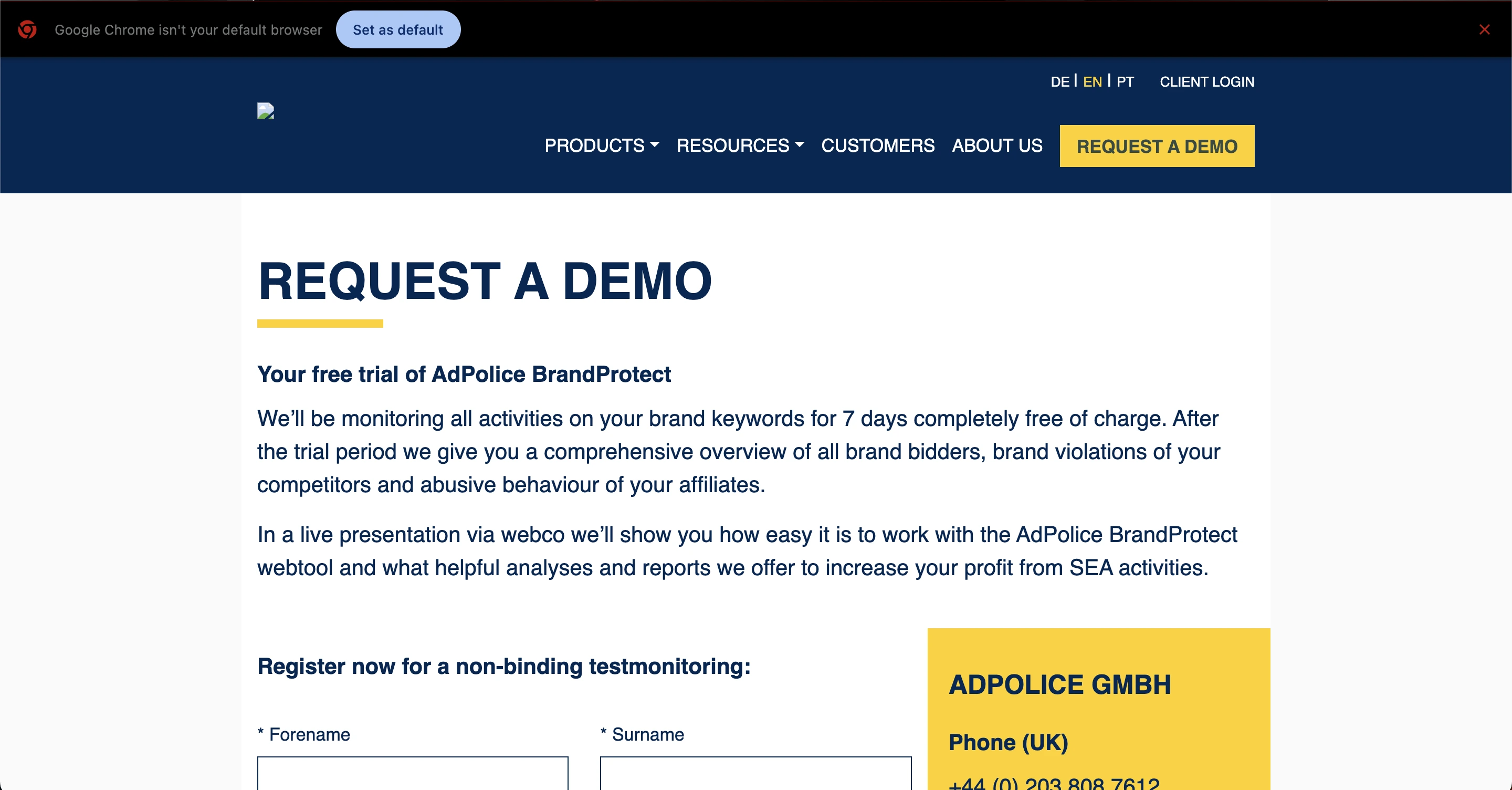 An AdPolice demo allows businesses to see how monitoring software works in real time. By watching the platform in action, marketing teams can understand how it tracks ads, detects policy violations, and helps protect brand reputation across various channels.
The demo also gives companies a chance to evaluate whether the tool fits their workflow and compliance needs. In many cases, it helps teams compare different ad monitoring solutions before making a final decision, ensuring they choose the platform that best supports their advertising management strategy.
Learning from the AdPolice Demo
The adpolice demo usually walks users through several important parts of the platform.
1. Dashboard Overview
The dashboard acts as the main control center of the software. During the demo, users can see how all monitoring results are displayed in a single place, making it easier to track advertising activity.
The dashboard typically shows important information such as detected advertisements, possible policy violations, monitoring activity, and alerts or notifications generated by the system.
By presenting this data in one clear view, marketing teams can quickly understand what is happening with their online advertising campaigns and identify any issues that may need attention.
2. Ad Monitoring Process
One of the main parts of the adpolice demo is explaining how monitoring works.
The system scans advertising platforms and websites to find ads related to a specific brand. Once ads are detected, the platform compares them against the rules set by the company.
If something does not match the rules, the system flags it for review.
The demo shows how this monitoring process works step by step.
3. Violation Detection
Brand advertising rules often include restrictions such as unauthorized use of brand names, ads appearing on restricted keywords, incorrect ad messaging, or violations by affiliate partners. When many partners are promoting a brand, monitoring these rules manually can be difficult.
The AdPolice demo shows how the platform automatically detects these issues by scanning advertising activity across different channels.
It then presents possible violations clearly to the user, allowing marketing teams to review and address problems quickly without manually checking ads across the internet.
4. Alerts and Notifications
Another important part of the adpolice demo is the alert system.
When a violation is detected, the platform can notify the marketing team. These alerts help businesses respond quickly to advertising problems.
Users can see examples of how alerts appear in the dashboard or through notifications.
This allows teams to investigate issues before they cause brand damage.
5. Reporting and Analytics
Reports help businesses understand trends in their advertising activities. During the AdPolice demo, users can see how the platform organizes monitoring data into clear reports.
These reports may highlight where violations occur, which partners are involved, how often issues appear, and overall monitoring activity. This information helps companies improve their advertising policies and manage partners more effectively.
Read More: AdPolice Alternative Pricing: Plans & Best Tools
Key Features in the AdPolice Demo
The adpolice demo usually focuses on the main capabilities of the platform. Understanding these features helps businesses decide whether the software matches their needs.
1. Automated Ad Monitoring
The system continuously scans online platforms to find advertisements related to a brand.
Instead of manual checking, the tool performs monitoring automatically. This saves time and reduces the chance of missing violations.
2. Brand Compliance Tracking
Brand guidelines are important for maintaining consistent marketing messages.
The platform checks detected ads against predefined rules. If an advertisement breaks those rules, it is flagged for review.
The adpolice demo shows how businesses can configure these rules.
3. Centralized Monitoring Dashboard
Advertising activity often happens across many channels.
The platform organizes all monitoring data into a single dashboard. This makes it easier for marketing teams to track and manage advertising activity.
4. Violation Identification
The software identifies possible advertising violations and lists them clearly in the system.
Users can review the flagged ads and decide what action to take.
The adpolice demo usually includes examples of how violations appear in the platform.
5. Reporting and Insights
Marketing teams need clear data to make decisions.
The reporting feature helps businesses analyze advertising activity and identify recurring problems. These insights help improve campaign management.
How the AdPolice Demo Works
The process of accessing the adpolice demo is usually simple. While the exact steps may vary, the general process often includes the following stages.
Step 1: Request the Demo
Businesses usually request a demo through the company’s website. During the request process, they may be asked to provide basic information such as the company name, contact details, business type, and advertising goals.
After the request is submitted, the team typically schedules a demonstration session to introduce the platform and its features.
Step 2: Platform Walkthrough
During the AdPolice demo, a representative introduces the platform and explains how it works. The walkthrough usually covers key areas such as dashboard navigation, monitoring setup, violation detection, and reporting features.
Throughout the session, users can ask questions and view practical examples to better understand how the system operates.
Step 3: Use Case Discussion
Another important part of the demo is discussing how the platform fits the business.
Different companies have different advertising challenges. The demonstration often focuses on how the tool can help solve those specific problems.
What Is the AdPolice Free Trial?
The adpolice free trial allows businesses to explore the platform before purchasing a paid plan. During the trial period, users can test several core functions of the software to understand how it works.
The purpose of the adpolice free trial is simple: it helps potential customers evaluate whether the platform fits their advertising compliance needs.
Most software companies provide trials to reduce risk for new users. Instead of committing to a full subscription immediately, businesses can first check if the tool provides useful insights and reports.
The adpolice free trial typically includes access to monitoring features, dashboards, and reporting tools so users can experience the platform in real conditions.
What is Adpolice Affiliate Monitoring?
Adpolice affiliate monitoring is a method and tool used to track affiliate traffic, clicks, conversions, and commissions accurately. It helps advertisers, affiliate managers, and networks ensure that every action by an affiliate is recorded correctly.
Use Cases of the AdPolice Demo
Many types of organizations request the adpolice demo to understand how the platform could support their marketing activities.
1. Affiliate Program Management
Affiliate marketing allows partners to promote a brand’s products or services.
However, some affiliates may not follow advertising guidelines. The adpolice demo helps companies see how monitoring software can detect such issues.
2. Brand Protection
Businesses often want to protect their brand name from misuse in advertising.
Monitoring tools help identify ads that use the brand incorrectly or appear in unauthorized placements.
The demo shows how this monitoring works.
3. Marketing Team Oversight
Large marketing teams manage multiple campaigns at once.
The platform can help them track advertising activity and identify potential issues quickly.
The adpolice demo gives teams a clear view of how the dashboard supports campaign oversight.
4. Compliance Monitoring
Some industries require strict advertising compliance.
Companies in these industries may use monitoring tools to ensure ads follow legal or brand rules. The demo helps them evaluate whether the platform can support their compliance efforts.
What Is Included in AdPolice Pricing?
When reviewing AdPolice pricing, it is important to understand what each plan usually includes. Most subscriptions provide monitoring across search engines, ad networks, and affiliate websites to track how a brand appears in online ads.
The platform also checks ads against predefined brand rules and alerts users about violations through email or dashboard notifications.
In addition, plans generally include reporting tools that show where ads appear and how they are used, helping marketing teams make better decisions. Many plans also support monitoring multiple campaigns and ad formats.
Higher-tier plans may include advanced reports, priority support, and custom monitoring rules designed for specific advertising requirements.
AdPolice Alternatives
If you’re looking for an AdPolice alternative, several ad monitoring tools offer similar features, such as brand compliance checks, affiliate ad tracking, and reporting dashboards. These alternatives can provide flexible plans, different pricing options, or specialized features depending on your business needs, allowing you to monitor ads effectively without using AdPolice.
Benefits of Trying the AdPolice Demo
Testing a product before purchasing always helps businesses make better decisions.
The adpolice demo offers several advantages.
Better Understanding of the Platform A demo provides a real view of the system rather than just written descriptions. Businesses can see how features actually work.
Informed Buying Decision Software tools can require a significant investment. The demo helps companies decide whether the platform fits their needs before purchasing a plan.
Opportunity to Ask Questions During the demo session, users can ask specific questions about the platform. This helps clarify how the system works and whether it matches the company’s advertising strategy.
Evaluate Workflow Compatibility Every marketing team has its own workflow. The adpolice demo allows teams to check whether the platform integrates smoothly into their daily operations.
AdPolice Demo Tips
To get the most value from an AdPolice demo, businesses should prepare in advance. A good starting point is identifying current advertising challenges, such as affiliate rule violations, brand misuse in ads, or difficulty tracking multiple campaigns.
Sharing these issues during the demo helps the presenter highlight the most relevant features of the platform.
It is also helpful to prepare questions before the session. Businesses may want to ask about monitoring coverage, reporting capabilities, custom rule settings, and possible integrations with other tools. This ensures the team receives useful and clear information during the demonstration.
Involving members of the marketing team can also be beneficial. Since they manage advertising campaigns directly, their input during the AdPolice demo can help determine whether the platform fits the company’s workflow and operational needs.
It is also important to understand the difference between a demo and a free trial. A demo is a guided presentation where a representative explains the platform and answers questions, while a free trial gives users temporary access to test the software on their own.
The AdPolice demo focuses on showing how the system works, while a trial allows businesses to explore the platform independently.
Is the AdPolice Demo Worth Trying?
For companies that rely heavily on online advertising, monitoring tools can play an important role in protecting brand integrity.
The adpolice demo helps businesses understand how such tools operate and whether they match their marketing needs.
By exploring the dashboard, monitoring process, and reporting system, companies can gain valuable insights before making a purchase decision.
Instead of guessing how the platform works, businesses can see its functionality directly.
Final Thoughts
Advertising monitoring is becoming increasingly important as businesses expand their online marketing efforts.
Managing ads across search engines, affiliate networks, and websites can quickly become complex. Monitoring software helps simplify this process by detecting potential violations and organizing advertising data in one place.
The adpolice demo offers a helpful way for businesses to explore these capabilities before investing in the platform.
Through a guided walkthrough, marketing teams can see how the system monitors ads, identifies possible issues, and provides reports that support better decision-making.
For companies considering ad monitoring software, requesting a demo is often the first step toward understanding whether the platform fits their needs.
Frequetly Asked Questions (FAQs)
What is the AdPolice demo?
The adpolice demo is a guided demonstration of the AdPolice platform. It allows businesses to see how ad monitoring works, including violation detection, dashboard features, and reporting tools, before subscribing.
Who should request the AdPolice demo?
Marketing teams, brand managers, and companies with affiliate programs or online ads can benefit from the demo. It’s ideal for businesses that want to ensure their ads comply with brand guidelines.
How long does the AdPolice demo last?
Typically, the demo lasts between 30–60 minutes, depending on the level of detail and questions from participants.
Is the demo free?
Yes, the adpolice demo is free. It’s designed to help businesses understand the platform before deciding on a subscription plan.
Can I ask questions during the demo?
Absolutely. The demo is interactive, and participants are encouraged to ask questions about features, setup, and use cases.