
My sister bought a customizable wedding invitation from an Etsy shop last month. The seller sent her a link to something called Corjl, and twenty minutes later she was on my phone asking why she couldn't get in.
The email was in spam. The password screen confused her. She'd used a different email at checkout than the one she tried logging in with. Classic combination.
I walked her through the whole thing, and it turns out the Corjl login process is simple once you understand how it actually works. Here's the complete guide.
What Is Corjl?
Corjl is a platform that lets designers upload customizable templates like cards, invitations, and signs, then lets buyers edit them online without any design software.
The platform gives designers control over which parts of a design are editable and which stay locked. It blends editing, distribution, and brand protection into one system.
When someone purchases a template, Corjl sends them a link or lets them log in directly to personalize their design. If you've ever bought an editable invitation on Etsy, there's a strong chance Corjl was the tool behind it.
How to Do Corjl Login Step by Step
Here's the exact login process from start to finish.
Step 1: Open the Corjl Login Page
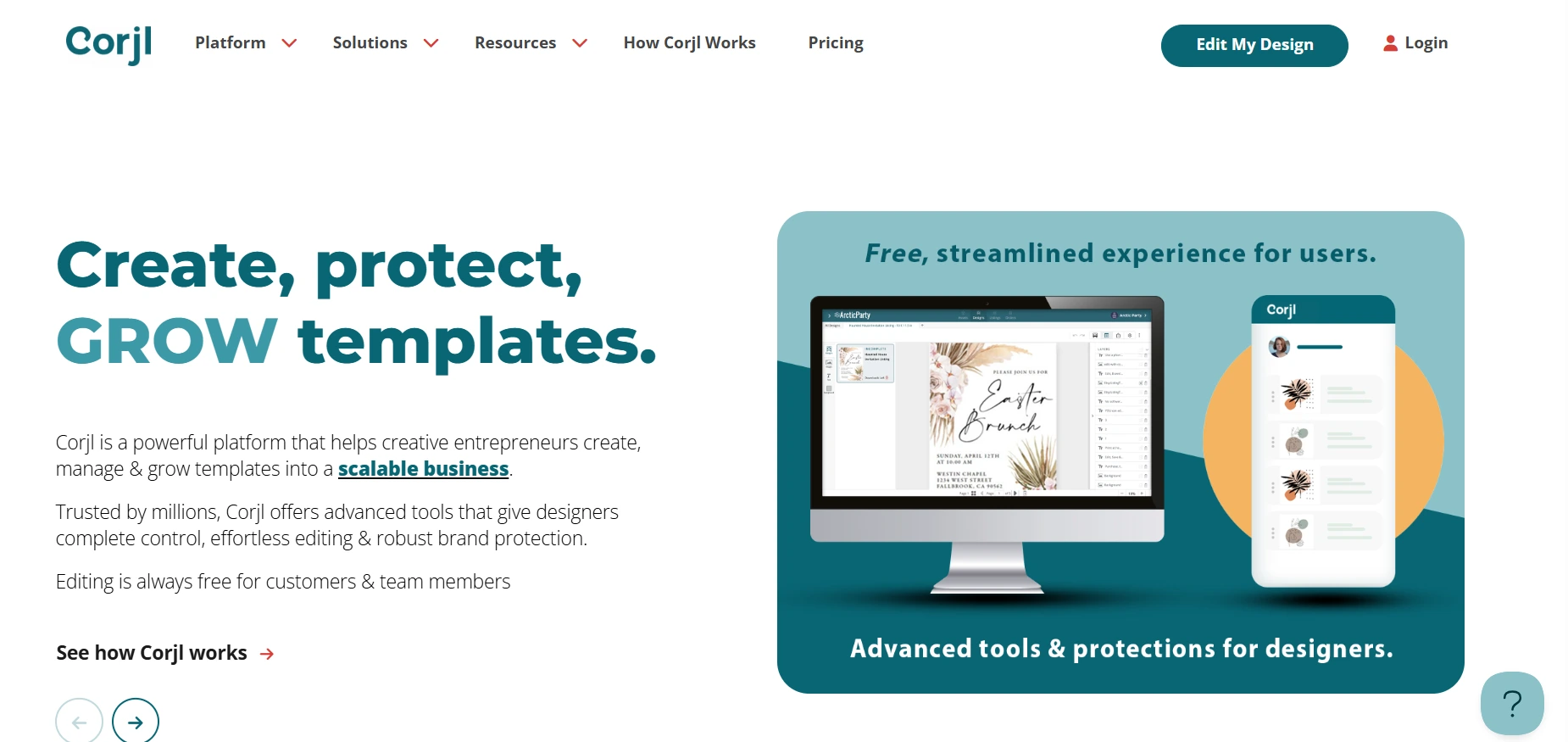
Visit the Corjl website and click Login, sometimes shown as Sign Up or Log In, to reach the login screen.
 Step 2: Enter Your Email Address
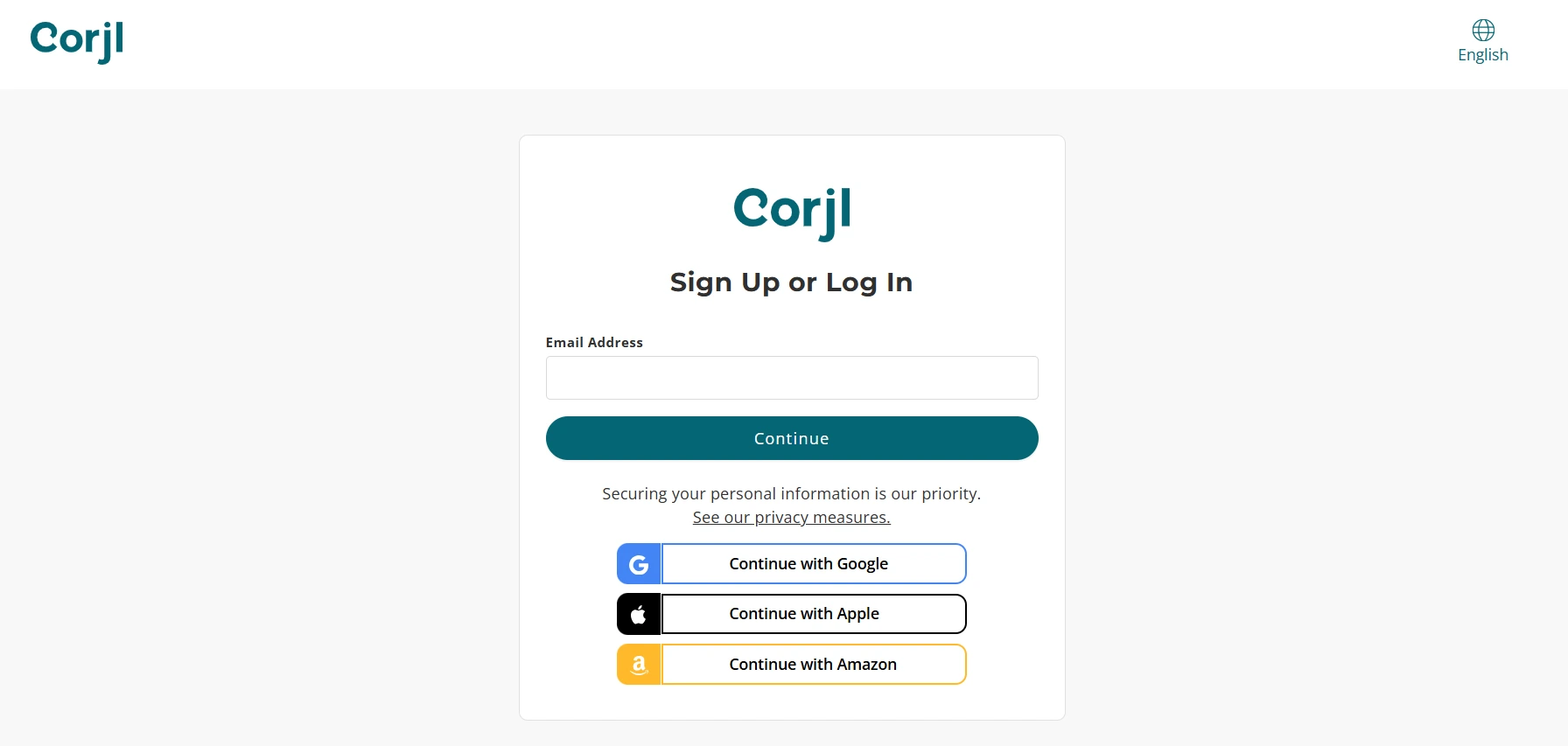
Type the email you used for Corjl or, critically, the email you used at the time of purchase. This detail trips up more people than anything else.
Step 3: Click Continue
Corjl uses a two-screen login flow, so you confirm your email first before the password field appears.
Step 4: Provide Your Password
Enter your account password on the next screen. Type it manually rather than pasting to avoid hidden character issues.
Step 5: Optional Google Login
Some users can choose Continue with Google as a faster option if it's enabled for their account. One tap and you're in.
Step 6: Access Your Dashboard
After logging in, you land where you can edit your design, view your orders, or manage your account settings.
The whole process takes under a minute once your credentials are sorted.
What to Do If You Forget Your Password
Password resets on Corjl follow a slightly different flow than most platforms, so here's the exact sequence.
Go to the Corjl login page and enter your email, then click Continue. On the password screen, click Forgot Password below the password field.
Input your email again and click Continue to receive a reset email. Check your inbox for a 6-digit code rather than a traditional reset link.
Return to the Corjl login page, enter that code, set a new password, and confirm it. You're back in immediately after that.
The 6-digit code approach means you complete everything in one browser session instead of jumping between email links and login tabs.
 How to Access Purchased Designs
This is the scenario most buyers actually face, and it works a little differently than a standard login.
The Email Link Method
After buying a template, Corjl usually sends an email containing a direct link that lets you edit your design right away. Click it and you're editing within seconds.
If you don't see this email, check your spam or junk folder first. Purchase emails land there constantly, which is exactly what happened to my sister.
The Manual Method
Visit the Corjl website and click Edit a Purchased Item. From there, create a free account if you don't already have one, using the same email address you used at the time of purchase.
Once your account exists, enter your Order ID along with your login details to access your design. The Order ID comes from your purchase confirmation on whatever marketplace you bought through.
The Last Resort
If you still can't find the purchase email, request a new link directly from the seller. Sellers can resend access links from their side, and this works especially well when your purchase isn't already tied to a Corjl account.
Troubleshooting Corjl Login Issues
Here are the common problems and their fixes in one clean reference.
Issue | Solution |
|---|---|
Email not recognized | Use the same email from purchase, or ask the seller for a fresh link |
Wrong password | Use Forgot Password to reset with the 6-digit code |
No reset email arriving | Check spam and junk folders, then request again |
Account not created yet | Create one through the purchase link or Edit a Purchased Item page |
Link expired | Request a fresh access link from the seller |
One technical note worth knowing. Corjl requires JavaScript enabled to work properly. If the site loads but buttons don't respond, check that your browser or an extension isn't blocking scripts.
This kind of login troubleshooting pattern applies across most SaaS platforms, and we've covered the same framework for accounting tools in our Dext login guide, where the wrong-portal problem causes nearly identical confusion.
Why Corjl Login Matters for Designers and Buyers
The login experience carries real business weight on both sides of this platform.
For Designers
A smooth login means you can manage templates, control access, and set permissions without delays. More importantly, if your customers struggle to log in, you lose sales and face refund requests.
Every login failure on the buyer side becomes a support message in the designer's inbox. A clean access flow directly reduces that workload.
For Buyers
Corjl login lets you access, edit, download, or print your purchased design anytime, from any device. The design you paid for stays available rather than being locked to one email link.
A reliable login system builds trust, cuts support requests, and keeps the editing process seamless for everyone involved.
Security and Account Settings in Corjl
Once logged in, managing your account takes just a few clicks.
Click the small dropdown arrow near your name in the top-right corner of the dashboard to access your account options. From there, you can update your name, profile picture, and password.
You'll need to enter your current password before making any password changes, which is a sensible security requirement.
If you want to change your primary email address, you may need to contact Corjl support directly, since this option isn't always available through account settings. For designers, the settings area also includes billing and communication preferences in one place.
One extra tip from my side. Use a unique password for Corjl rather than reusing one from other accounts, especially if you're a designer with paying customers connected to your account.
Example Walkthrough: From Purchase to Download
Let me run through the complete real-world scenario so you can see how every piece connects.
You buy a custom invitation from an Etsy shop. The seller sends you a Corjl order link via email within a few minutes of purchase.
You click Edit My Design in that email. If you're not logged in, Corjl asks you to log in or sign up on the spot.
You enter your email, hit continue, enter or set your password, and verify via the email code if prompted. Access granted.
From there, you edit the text, fonts, and colors directly in your browser, then download the final design as a PDF or JPG ready for printing.
If you forget your password at any point in that flow, the Forgot Password option with the 6-digit code gets you back in without losing your editing progress.
Final Thoughts
Corjl login is the gateway to accessing and editing your digital designs, and the process is genuinely simple once you know the flow. Email first, continue, then password, with an occasional verification code for security.
The single most important rule is using the same email address you used during purchase. That one detail prevents almost every access problem people run into.
Check spam folders for verification emails, keep your login details secure, and remember that sellers can always resend access links when everything else fails.
My sister's invitation turned out great, by the way. Twenty minutes of login confusion, then ten minutes of actual editing. The ratio should have been reversed, and now with this guide, yours will be.
FAQs
Can I use Google to log in to Corjl?
Yes, the Continue with Google option works for quick login if it's enabled for your account.
What if I never received the email link after purchase?
Check spam and junk folders first, then ask the seller to resend the link.
Do I need a Corjl account before editing my purchase?
No, Corjl lets you create a free account during the access process using your order ID and purchase email.
How many times can I edit a template?
It depends on the permissions the designer set, as some templates carry editing limits or restrictions.
Can I use Corjl login on mobile devices?
Yes, both login and editing work on mobile browsers so you can edit designs on the go.