
My uncle runs a small trading business and last month I watched him spend an entire Sunday evening typing receipts into a spreadsheet. Line by line. Date, vendor, amount. Three hours of his weekend gone.
I set him up with Dext that same week. Now he photographs receipts with his phone and the data enters itself. But his first question was the same one everyone asks. Where do I actually log in, and why are there three different login pages?
Here's the complete guide to Dext login, every portal explained, and how to fix the problems that trip people up.
What Is Dext?
Dext, formerly known as Receipt Bank, is a cloud-based accounting platform designed to help users capture, manage, and process financial documents automatically.
It connects directly with accounting tools like QuickBooks, Xero, and Sage, reducing manual data entry and saving hours every week. You photograph a receipt, Dext reads the date, amount, and vendor name automatically, and everything syncs to your accounting software with one click.
The goal is simple. Less time on paperwork, more time actually running your business. For freelancers, small business owners, and accountants juggling multiple clients, that trade is genuinely valuable.
The Dext Login Page: Your Entry Point
The Dext login page is where everything starts. Through the portal, you can upload and manage expense documents, connect Dext to your accounting tools, monitor reports and client information, and manage team members if you're on a Business or Accountants plan.
Once logged in, your dashboard shows receipts, bank statements, and transaction summaries all in one place. No digging through email attachments or shoebox archives.
We've covered the rebrand confusion in detail before, because a lot of people still search for the old name. If you landed here looking for Receipt Bank, our Dext Receipt Bank login guide explains that transition fully. Same product, same credentials, new name.
 How to Access Dext Login Step by Step
Logging in takes under a minute once you know where to go. Here's the exact process.
Step 1: Visit the Official Website
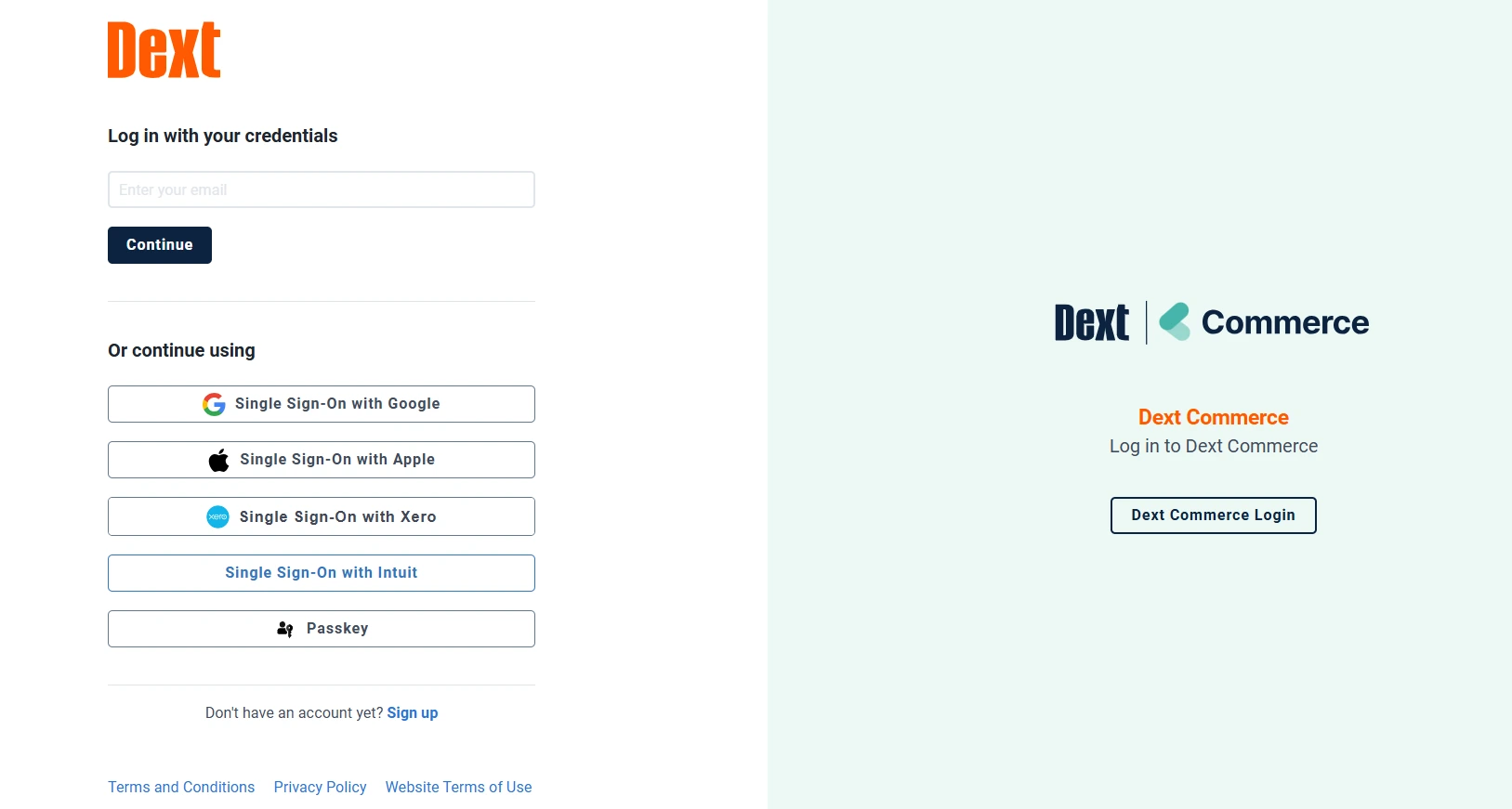
Go directly to the official login page at https://app.dext.com
You can also reach it through the main website. Go to https://dext.com, click Login at the top right corner, and choose your region and product, whether that's Dext Prepare, Dext Precision, or Dext Commerce.
Bookmark app.dext.com right now. It saves you the navigation every single time.
Step 2: Enter Your Email and Password
Use the email and password you registered with. If you have multiple accounts, for example a business account and an accounting workspace, make sure you select the correct workspace before logging in.
One practical tip from experience. Type your password manually rather than pasting it. Copied passwords occasionally carry hidden characters that cause failures even when everything looks correct.
Step 3: Complete Multi-Factor Authentication
Dext asks for a verification code sent to your registered email, phone, or authenticator app. Enter it and proceed.
Here's the 2026 update worth knowing. Two-factor authentication is now mandatory for accounts integrated with Xero and is rolling out to all accounts progressively. Once enforced, it cannot be disabled. Set up your preferred method proactively rather than getting surprised mid-login before a deadline.
Step 4: Access Your Dashboard
You're in. Upload receipts, track expenses, review reports, and manage your accounting connections from one screen.
The Three Dext Platforms: Which Login Do You Need?
This is the single biggest source of login confusion, so let me lay it out clearly.
Platform | Who It's For | Login URL |
|---|---|---|
Dext Prepare | Bookkeeping and expense management | |
Dext Precision | Accountants auditing Xero/QuickBooks data | |
Dext Commerce | E-commerce sellers on Shopify, Amazon, eBay |
Dext Prepare
This is the main product most users mean when they say Dext. Upload and categorize invoices, receipts, and bills. If you're a small business owner or freelancer, this is your login.
Dext Precision
Built for accountants and bookkeepers who need to verify that data inside Xero or QuickBooks is accurate and consistent. It identifies errors and optimizes workflows across client books.
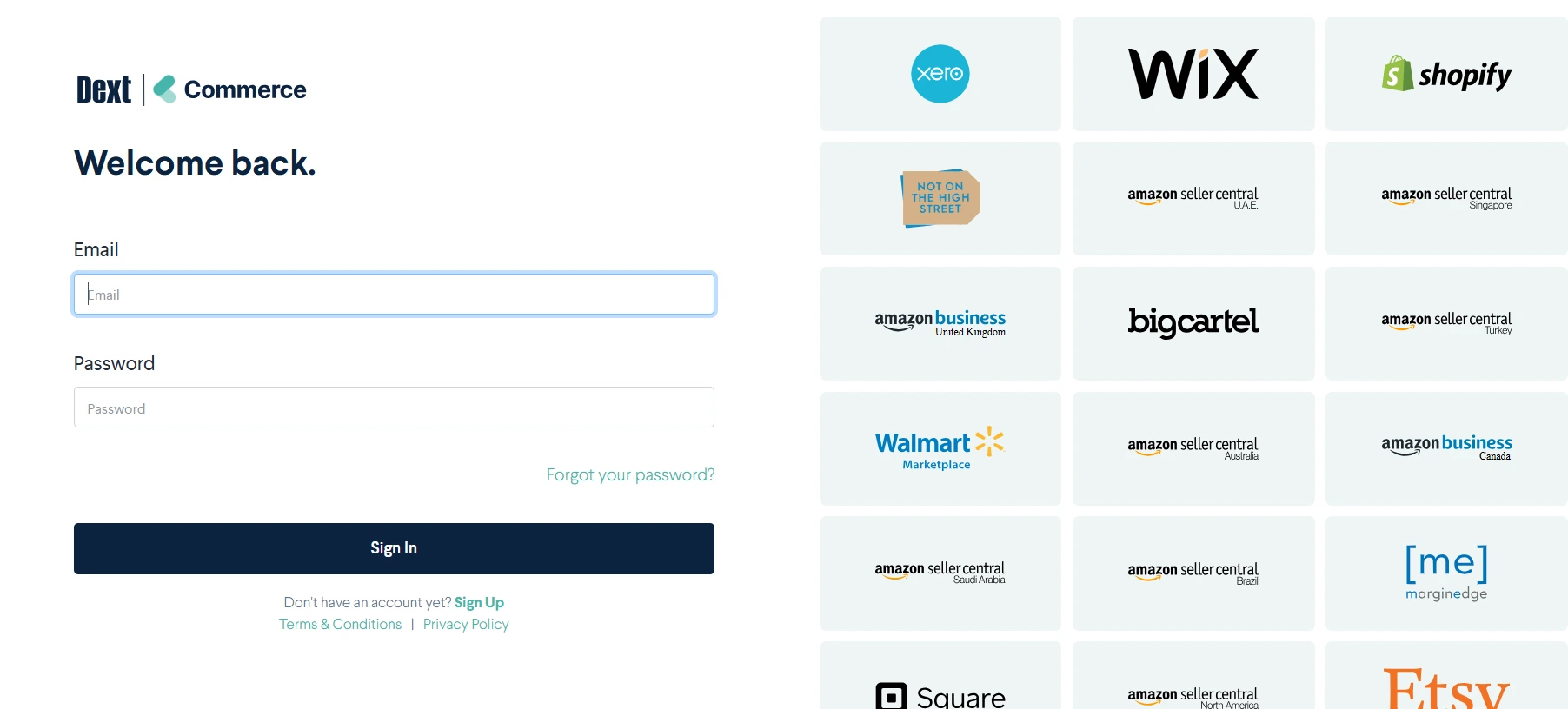
Dext Commerce
Designed for e-commerce businesses. It gathers sales and fee data from platforms like Shopify, Amazon, eBay, and PayPal, making transaction and tax management dramatically simpler.
Using the wrong portal is one of the most common reasons login appears to fail. Your Prepare credentials won't work on the Precision URL. Check which product your subscription covers first.
Dext Mobile Login
The mobile app is where Dext genuinely shines for anyone dealing with paper receipts on the move.
Getting Set Up
Download the Dext app from the Google Play Store for Android or the App Store for iOS. Open it, tap Sign In, and enter the same email and password as your web login.
Enable biometric login when prompted. Face ID or fingerprint access means you'll never fumble with passwords while standing at a checkout holding a receipt.
Why Mobile Matters
Capture receipts using your phone camera and Dext automatically scans, reads, and stores them. The data extraction happens in seconds.
For business owners and employees who travel frequently, this single feature eliminates the crumpled-receipts-in-pocket problem permanently. Photograph it at the counter, throw the paper away, done.
 What to Do When Dext Login Fails
Login problems follow predictable patterns. Here's the fix for each one.
Wrong Email or Password
Double-check spelling, capitalization, and accidental spaces. Confirm you're using the correct email domain, since many users mix up their work and personal addresses on financial tools.
If you changed your password recently, clear your browser cache before retrying. Cached credentials cause more failures than people realize.
Forgotten Password
Click Forgot Password on the login screen, enter your email, and follow the reset link that arrives. Check your spam folder if it doesn't show within a few minutes.
Set the new password in a password manager immediately so this doesn't repeat next quarter.
Two-Factor Authentication Problems
If the 2FA code doesn't arrive, check spam and any backup email addresses first. If you're using an authenticator app, verify your phone's time is set to automatic, since time drift breaks code generation.
Use your backup codes if you saved them during setup. If you've lost access to everything, contact Dext support directly to verify your identity and restore access.
Browser or App Issues
Clear your browser cache and cookies, then restart the browser completely. Try a different browser if the problem persists, and disable extensions that block scripts or cookies.
On mobile, update the app to the latest version. Outdated app builds are a quiet cause of authentication failures after Dext updates its backend.
Account Locked or Suspended
Multiple failed login attempts trigger a temporary lock as a security measure. Wait a few minutes rather than hammering the login button, then use Forgot Password to reset cleanly.
If the lock persists, contact Dext support to unlock the account manually.
Logging Into the Wrong Region or Platform
Make sure you're on the right product portal, whether Prepare, Precision, or Commerce. The wrong URL produces failures that look identical to credential problems but have nothing to do with your password.
Key Features You Unlock After Login
Once inside, here's what your Dext dashboard actually does for you.
Receipt and Invoice Capture
Upload receipts three ways. Photograph them through the mobile app, forward them via email to your dedicated Dext address, or upload files directly from your computer.
The email forwarding option is underrated. Set a rule to auto-forward supplier invoices and they process themselves without you touching anything.
Automatic Data Extraction
Dext's recognition technology identifies the date, vendor, total amount, and category instantly. No typing, dramatically fewer errors, and consistent categorization across hundreds of documents.
Accounting Software Integration
Dext connects with all the major platforms.
Software | Sync Type |
|---|---|
QuickBooks | Automatic two-way |
Xero | Automatic two-way |
Sage | Automatic |
FreeAgent | Automatic |
Once connected, expenses and reports sync without manual exports. This integration is genuinely where the time savings compound.
Team Collaboration
Invite team members who can upload their own receipts into a shared workspace. Accountants and business owners work in the same environment without email chains or lost documents.
Reporting and Insights
Simple reports show where your money goes, monthly spending patterns, and which expenses qualify for tax claims. Come tax season, everything is already organized instead of being a shoebox archaeology project.
Read Also: Corjl Login Guide: Access & Use Corjl Easily
Dext Pricing Plans in 2026
Here's the current pricing structure laid out cleanly.
Plan | Target Users | Approximate Price | Notes |
|---|---|---|---|
Essentials / Basic | Small businesses, sole users | ~$24/month | Document capture, core integrations |
Commerce Lite | E-commerce sellers | ~$7.50/month | Sales data from online platforms |
Prepare Firm Plan | Accounting practices | ~$199.99/month | Multi-client management, advanced tools |
Advanced Tiers | Larger firms | Custom pricing | Scales with clients and features |
The Build Your Plan tool on Dext's site shows exact costs as you add features or clients. Prices shift with promotions, so verify current numbers before committing to an annual plan.
Is Dext Safe to Use?
Yes, and this matters given the financial data involved. Dext uses bank-level encryption and secure data centers to protect your information, and follows GDPR compliance standards to keep business data private.
The mandatory multi-factor authentication rollout in 2026 adds another meaningful layer. Unauthorized access to an account protected by MFA is extremely difficult, which is exactly what you want guarding your financial documents.
One practical addition from my side. Use a unique password for Dext that you don't reuse anywhere else. Financial tools deserve their own credentials regardless of how strong the platform's security is.
Why the Dext Login Actually Matters
The login portal isn't just a sign-in page. It's the gateway to automating a workflow that eats hours of unpaid administrative time every week.
Businesses using Dext consistently report faster bookkeeping, more accurate expense reports, and dramatically reduced stress during tax season. My uncle's Sunday evenings are his own again, which is the entire point.
Connect Dext to your accounting software once, and the financial paperwork that used to pile up handles itself continuously in the background.
Alternatives Worth Knowing
Dext is strong but not the only option. Depending on your specific needs, these are the credible alternatives.
Hubdoc excels at document management and comes bundled free with Xero subscriptions, which makes it the obvious first look for Xero users.
Expensify focuses on expense tracking and employee reimbursements, making it stronger for teams with travel-heavy expense workflows.
AutoEntry extracts data from invoices and receipts efficiently at a competitive price point, popular with UK accountants especially.
Zoho Expense is the natural pick for businesses already living inside the Zoho ecosystem, where the integration depth beats everything else.
FAQs
Can I log in to Dext from multiple devices?
Yes. Dext supports simultaneous access from web browsers and mobile apps with everything synchronized in real time.
What if I never received my login invitation email?
Check your spam and promotions folders first, then ask your Dext administrator or support team to resend the invitation.
Does Dext log me out after inactivity?
Yes, like most cloud financial tools it auto-logs out after periods of inactivity as a security measure.
Can I change my Dext login email?
In most cases yes, through your account or profile settings. Contact support if the option isn't available on your plan.
Why does my Dext login keep asking for a verification code?
Your browser is likely clearing cookies on close. Allow site data for dext.com in browser settings so trusted devices stay remembered for 30 days.