
My friend who sells handmade jewelry on Etsy was complaining last week about how long it takes her to edit product photos. She was manually removing backgrounds in Photoshop one image at a time, spending like forty minutes on ten photos. I told her there was a better way and sent her over to Cutout Pro.
She came back an hour later and said she'd already processed her entire backlog. I figured that reaction was worth writing about.
Here's my full breakdown of what Cutout Pro actually does, where it wins, where it doesn't, and whether the credit system is actually worth your money.
So What Even Is Cutout Pro?
Cutout Pro, found at cutout.pro, is a browser-based AI visual editing platform that launched back in 2018. No software to install, no Photoshop subscription needed. You open it in any browser and start editing.
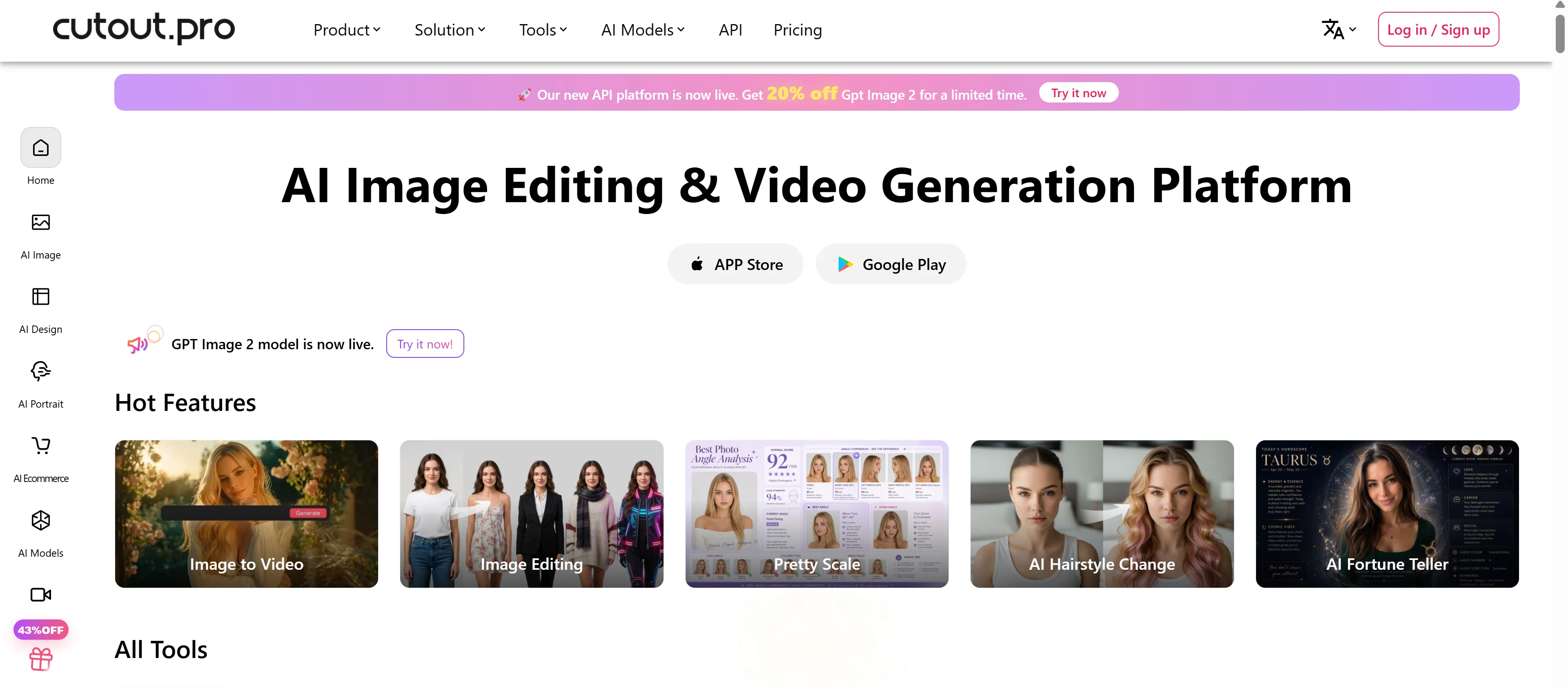
The flagship feature is AI background removal. But it's genuinely more than that. We're talking photo enhancement, video background removal, AI art generation, passport photo creation, portrait retouching, image upscaling, face cartoonizer, and batch processing all in one place.
It's built to serve businesses and creative professionals, handling everything from object removal to upscaling and video enhancement, significantly cutting down manual editing time. From what I saw, over 25,000 businesses currently use it.
 The Background Removal: Where It Starts
This is the core feature and the reason most people end up on the platform in the first place. You upload an image, the AI detects the subject, removes the background, and hands you a clean cutout in seconds.
The edge detection handles challenging elements like hair, fur, and transparent objects, which is the part that usually breaks other free tools. Anyone who's tried removing a background from a photo of a fluffy dog or someone with curly hair knows exactly what I'm talking about.
For clean-edged subjects like products or simple clothing, the accuracy sits between 90 and 95 percent without any manual refinement. For complex edges like fine hair and glass, it ranges between 85 and 92 percent. Not perfect but genuinely fast for the quality you get.
Video Background Removal Without a Green Screen
Here is the part that actually impressed me the most when I looked into this. Most background removal tools are photo-only. Cutout Pro removes video backgrounds without requiring a green screen setup.
The video background removal feature makes it particularly useful for content creators who record without green screens. The AI maintains motion quality and handles HD video processing automatically.
If you want to improve the quality of footage you've already downloaded, a dedicated video enhancer can upscale resolution, reduce noise, and sharpen details without needing a full editing suite.
From what I saw, this is the feature that separates Cutout Pro from most competitors in the same price range. Remove.bg for example doesn't touch video at all. For a creator recording tutorials, product demos, or social media content in a regular room, this is a genuinely big deal.
The Feature List Goes Deeper Than You'd Expect
Let me break down what else is inside the platform beyond the two headline features because there's a lot here.
The platform includes AI background removal for photos and videos, face and image enhancement, color restoration, cartoon and avatar generation, automatic photo retouching, and an AI art generator. If AI art generation from text prompts is specifically what you're after, NeuralBlender is worth exploring as a dedicated text-to-image platform with multiple blend styles and a community gallery. That covers a wide range of creative work in one tool.
The passport photo maker is worth calling out specifically. It automatically removes backgrounds, applies compliant colors, and sizes photos for passport, visa, and ID requirements for most countries, all from your browser or phone. No photo studio required. For anyone who's ever paid way too much for a passport photo at a drugstore, that's a useful feature.
The AI upscaling and enhancement tools handle resolution increases, denoising, color correction, and sharpening. From what I saw, these bundled tools are convenient for general use but dedicated upscaling tools like Topaz Gigapixel still outperform them for critical professional work.
Batch Processing: The Feature My Friend Actually Needed
This is what solved my friend's Etsy problem. Instead of uploading one photo at a time, batch processing lets you upload your entire product catalog at once and Cutout Pro processes every image in the queue.
The batch processing capabilities stand out for e-commerce and content creators alike. For anyone managing a large visual library, this feature alone makes the tool worth paying for. The time savings on a 50 image batch compared to manual editing are not even close.
The API also allows developers to integrate background removal directly into their own platforms. The API plans suit developers building visual editing into their own applications, which makes Cutout Pro useful well beyond just the web interface.
The Credit System: Understand This Before You Subscribe
Here is the part I want to be real with you about because it trips people up. Cutout Pro runs on a credit-based pricing system and the math matters more than the headline price.
The free plan includes 5 credits. Subscription plans start from $5 per month for 40 credits going up to $69 per month for 1,200 credits. Pay-as-you-go starts at $2.99 for 3 credits.
At $5 for 80 credits on certain plans, you can burn through a monthly plan fast if you're processing a large catalog, and the pay-as-you-go rate can be punishing if you forget to subscribe.
The key is knowing your actual usage before you pick a plan. If you're removing backgrounds from 10 product photos a week, the entry plan is fine. If you're processing hundreds of images monthly, do the math on the per-credit cost before committing to a tier.
Video processing is also priced separately from photo credits. The free trial covers a five-second video at 360p. Paid video credits start at around $0.32 per minute with discounts for longer videos.
Also Read: Top 10 AI Agents You Should Know in 2026
Who Actually Gets the Most Out of This
From what I saw, there are a few clear groups that benefit most from Cutout Pro.
E-commerce sellers on Amazon, Etsy, or Shopify are the obvious primary use case. Clean white backgrounds on product photos are a listing requirement on most platforms. Doing this manually at scale is painful. Cutout Pro makes it fast and consistent.
Content creators who record without studio setups benefit from the video background removal. If you're making social media content, tutorials, or talking-head videos from a regular room, swapping that background out without a green screen is a genuine creative unlock.
Photographers who need quick background swaps for client deliverables without spending an hour in Photoshop for each image. And small businesses that need product imagery that looks professional without a professional photo shoot budget.
How It Compares to the Main Alternatives
The natural comparison here is Remove.bg since that's the most well-known background remover. Here's my honest take on where each one wins.
Cutout Pro wins on breadth of features but Remove.bg is sharper on pure background removal quality and has a more predictable pricing structure for high-volume work. If you literally only ever need background removal and nothing else, Remove.bg is a cleaner experience. If you want video processing, upscaling, passport photos, and AI art generation alongside background removal, Cutout Pro covers more ground for the price.
Canva is another comparison point people make. Canva has background removal now but it's a design tool first. Cutout Pro is a dedicated processing platform first. The batch capabilities and API access on Cutout Pro are significantly more capable than what Canva offers in that specific area.
The Security Situation You Should Know About
I want to be real with you here because I think this is worth flagging. A reported 2024 data breach involving user email addresses, hashed passwords, and IP addresses remains unresolved, with the company denying the incident despite third-party security reports.
That doesn't mean you shouldn't use the tool. But it does mean you should be thoughtful about what images you run through it. For non-sensitive batch processing and e-commerce workflows, it offers solid value. For personal photos or enterprise use involving sensitive data, considering alternatives with stronger security track records is worth doing.
Use a separate password for this account, don't reuse credentials from anything else, and you're covered for the most part.
The Mobile Experience
Cutout Pro works in any modern browser on desktop, tablet, and mobile. No app install required on any device.
The mobile browser experience is functional for single image processing. For batch work or anything involving the more complex tools, a desktop browser is going to give you a smoother experience overall.
There's no dedicated mobile app but the browser version is responsive enough that grabbing your phone to quickly remove a background from a product photo before posting it works fine.
My Honest Take After Looking At Everything
Here is the thing. Cutout Pro is genuinely impressive in terms of what it packs into one platform for the price. Background removal, video processing, upscaling, passport photos, AI art, and batch capabilities in a browser with no install required is a strong offer.
The credit system requires some planning. The security history is worth knowing about. And the accuracy on complex edges isn't at the very top of the market. But for e-commerce sellers, content creators, and small business owners who need visual editing done fast without learning Photoshop, the value is real.
Don't subscribe until you've tested the free credits on your actual images, specifically the edge cases that matter to you. That's the best advice I can give. Five free credits is enough to know whether the tool handles your specific type of content well before you spend anything.
FAQs
What is Cutout Pro?
Cutout Pro is a browser-based AI visual editing platform specializing in background removal for photos and videos, image enhancement, passport photos, and AI art generation, trusted by over 25,000 businesses.
Is Cutout Pro free?
Yes, there's a free plan with 5 credits included. Paid plans start at around $5 to $6 per month for 40 credits and go up to $69 per month for 1,200 credits.
Can Cutout Pro remove video backgrounds without a green screen?
Yes. That's one of its genuine standout features. The AI handles video background removal from regular footage without any green screen setup required.
How accurate is Cutout Pro's background removal?
For clean-edged subjects like products and simple clothing, accuracy sits between 90 and 95 percent. For complex edges like fine hair and transparent objects, it ranges between 85 and 92 percent.
Is Cutout Pro safe to use?
For general e-commerce and content work it's solid. A reported 2024 data breach that the company denied is worth knowing about, so avoid uploading sensitive personal images and use a unique password for the account.