

My friend who does bookkeeping for small businesses texted me last month saying he just switched to a new tool and it was changing his whole workflow. I asked him what it was. He said Dext Precision.
I'd heard the name before but never really dug into it. So I sat down, went through everything, and here's what I found.
First, What Even Is Dext Precision?
Before we talk about logging in, let me give you the quick version of what this tool actually is.
Dext Precision, formerly known as Xavier, gives you trust in your data by spotting errors before they become a problem. That's the whole pitch in one line.
It's built for accountants and bookkeepers who manage multiple clients. Instead of manually digging through books to find mistakes, Precision does it automatically and flags what needs fixing.
It's described as the ultimate data toolkit for Xero and QuickBooks users. It provides error-free data and proactive insights, helping practices upskill and become a real business partner for their clients.
So we're talking about a tool that sits on top of your accounting software and keeps everything clean.
 How to Log Into Dext Precision
Okay let's get to the actual login part because that's probably why you're here.
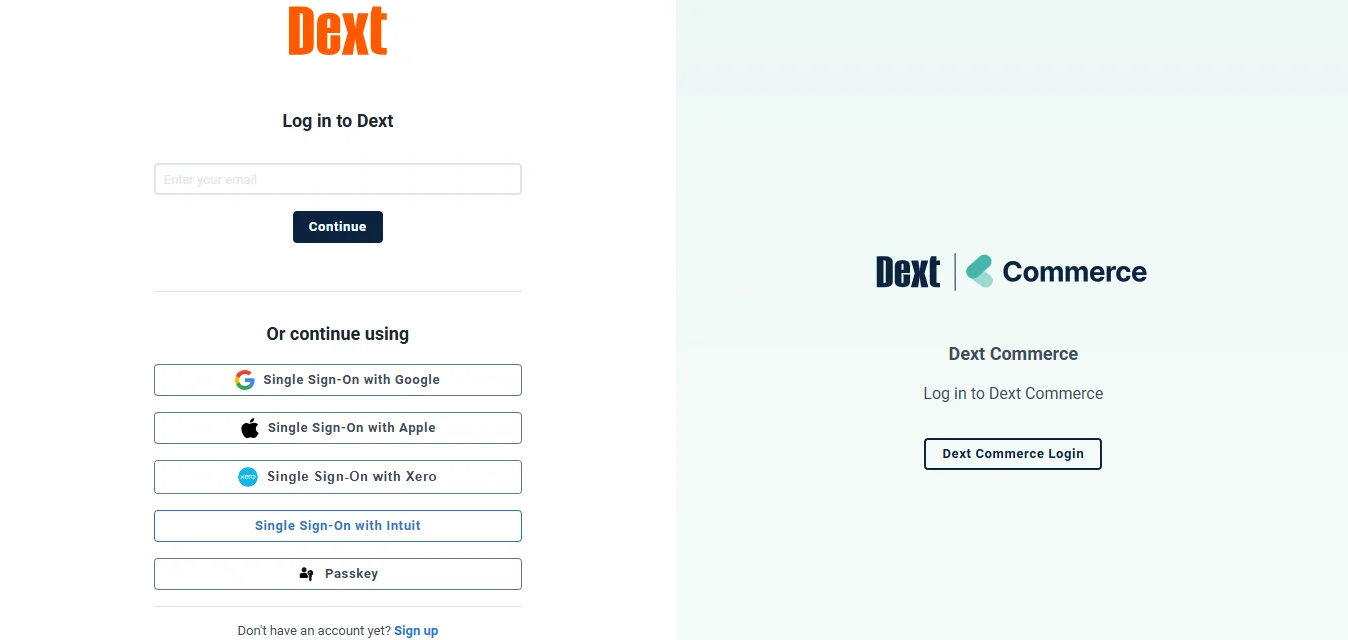
The direct login URL for Dext Precision is precision.dext.com/login. Just go there and enter your credentials and you're in.
Now here's something important. Dext is a multi-product platform and you use the same login details across all of it. So if you already have a Dext account for any of their other tools, you don't need a separate login for Precision.
One set of credentials, one account, everything under one roof.
If you're brand new, you'll need to sign up first. The process is quick. You create an account, verify your email, and then you're inside.
Logging In on Mobile
A lot of people manage things from their phone these days and Dext has that covered too.
You can download the Dext mobile app from the iOS App Store or Google Play Store. Open the app, enter your login details or use single sign-on, and once logged in you'll land in your main dashboard.
If you manage multiple client accounts, you'll see an orange initial in the top left corner of the screen. Tap it and the Select Organisation screen appears, where you choose which account you want to access.
That's a clean setup for anyone jumping between multiple clients throughout the day.
If you manage accounts with different login credentials, you can save multiple logins in the app. Just go to More, tap Switch Logins, and tap Add Login to enter the details for an additional account.
So you're not stuck logging out and back in every time you need to switch. It stays organized.
Common Login Problems
This is where I want to spend some time because login issues are annoying and I want you to solve them fast.
Wrong credentials
This is the most common one. Double check your email and password for typos. Use the Forgot Password feature to reset if needed. Also make sure you're using the correct credentials for the specific Dext platform you're trying to access.
Sometimes people have multiple Dext accounts under different emails and they mix them up. Just double check which email you signed up with.
Browser issues
If the login page isn't loading or behaving weird, try a different browser first. Clear your cache and cookies. Keeping your browser and operating system updated is also important for compatibility.
Chrome tends to work the smoothest in my experience. If you're on Safari or an older Edge version, try switching.
Account locked or access issues
If you're getting an error that your account is locked or you can't get through, reach out to Dext support directly through their help center. They have a live chat option that responds pretty fast.
Bookmark the right page
Bookmark the correct login page so you're always going to the right place. It saves confusion especially if you're switching between Dext Prepare and Dext Precision regularly.
Getting Started Once You're Logged In
So you're in. Now what?
To access the benefits of Precision you'll need to add your clients. Once they're loaded you can monitor the quality of their data through the cleanup tools and health scores.
If your clients are on Xero, you can bulk upload them. When you select to add a Xero client, you'll be taken to Xero and asked to log in. You can then select some or all of your Xero clients by ticking the box next to each one you want to import, and you'll be automatically returned to Precision.
That bulk import feature alone saves a ton of setup time if you have a large client list.
After that you add your team members and set up who has visibility on which clients. The creator of a team is the team owner, and everyone else becomes a member. Only the team owner can perform management actions like inviting members or adjusting billing.
The Health Score Thing Is Actually the Whole Point
I want to talk about this because it's what makes Precision different from everything else.
Each client gets a consolidated data health score for an instant overview. The goal is hitting 100 percent for all clients.
Think about that. Instead of manually reviewing every client's books to find problems, you open Precision and immediately see a score. Green means clean. Low score means something needs fixing.
Data Health automatically reviews your clients' accounting data from Xero or QuickBooks Online. It flags common issues, gives each client a live accuracy score, and helps your firm maintain clean, complete books without manual checking.
It identifies errors like unreconciled bank transactions, duplicate contacts, missing invoices or bills, and incorrect tax coding. You'll see exactly what needs fixing and what's already been resolved.
That kind of visibility across your entire client base is genuinely powerful. Especially for firms managing dozens of clients at once.
What Precision Actually Catches
Let me get specific here because I think this is where it really clicks.
Precision can identify duplicate contacts, miscoded invoices, and irregular transactions based on contact history for checking, fixing, or dismissing.
We've all been there. A client has the same vendor saved under three different names. Their books look fine until you actually run a report and something doesn't add up. Precision catches that stuff automatically.
Precision also helps you track lock date history. It highlights when lock dates get out of sync with filing dates, and encourages active maintenance of monthly reporting period closing dates to reduce data inconsistencies between your accounting software and third parties.
That one feature alone prevents so many headaches at year end.
You can also track key liabilities like Corporation Tax and VAT, run checks on key account codes, and make sure you're within your scheme thresholds.
The Team Workflow Side
This is big for any practice that has more than one person working on client accounts.
Precision's Focus dashboard tracks team workflows so you can see the progress of jobs throughout your practice. You can action tasks to deliver more billable work, faster.
So you're not chasing your team members asking where things are. You just open the dashboard and you can see exactly what stage each client's work is at.
It builds checks into workflows that fit into your regular practice processes such as onboarding, bookkeeping, VAT returns, and year-end processes. It also gives a practice dashboard overview to let you view information across all clients in one place.
I think the practice-wide dashboard is honestly one of the most underrated parts of Precision. Having everything in one view instead of jumping between individual client files is a massive time saver.
How It Connects to Your Existing Tools
If you're already on Xero or QuickBooks, this is smooth.
Data Health integrates directly with your clients' existing accounting software. Once connected, it syncs data daily to detect issues and update health scores automatically. No manual uploads or reconciliation needed.
You connect it once and it just runs in the background, updating every 24 hours. You don't have to do anything extra to keep it current.
If you use Dext Prepare and Precision together, you get a new single view dashboard with client data from both products combined in one place to help provide quicker client insights.
So if you're already using Dext for receipt capture and document management, adding Precision into the mix just makes the whole setup even more complete.
Also Read: Dext Commerce Login: How to Sign In and Get Started
Who Is This Actually Built For?
I want to be clear about this because Precision isn't for everyone.
It's built for accountants and bookkeeping firms that manage multiple clients. Clients range from beginners needing a trusted partner to seasoned firms looking to scale efficiently.
If you're a solo business owner just managing your own books, you probably don't need Precision specifically. Dext Prepare might be more relevant for you.
But if you run an accounting practice with multiple clients, Precision is genuinely the kind of tool that changes how you work day to day.
With your client's health score you can quickly understand the state of their books and view transactional volumes to drive more profitable pricing.
That last part is interesting. I hadn't thought about it this way but knowing how messy a client's books are before you quote them is actually really useful for pricing your services properly.
The Ratings Back It Up
I always look at real reviews before I recommend anything.
Dext is rated 4.7 stars on Trustpilot, 4.8 stars on the App Store, and 4.5 stars on Google Play.
Those are consistently strong numbers across all platforms. Not just good in one place.
Dext has also been recognized as Xero App Partner of the Year in both the UK and US in 2024, and received the QuickBooks Developer Spotlight in 2024.
Two of the biggest accounting software platforms both singling out Dext. That's not something you see every day.
My Take on All of This
When my friend first told me about Precision I thought it sounded like yet another dashboard tool that just shows you data you already know.
But after going through everything, I get why accountants love it. The health score concept is simple but powerful. The fact that it catches duplicates, miscoded entries, and lock date issues automatically means you're spending less time on the boring error-checking stuff and more time on actual advisory work.
And the login side of things is as simple as it gets. One account, one URL, works across all Dext products. If you already have Dext, you're already in.
FAQs
What is the Dext Precision login URL?
The direct login page is at precision.dext.com/login. Use your existing Dext credentials if you already have an account.
Do I need a separate login for Dext Precision?
No. You use the same login details across all Dext products, so one account gives you access to everything.
What is Dext Precision used for?
It's used by accountants and bookkeepers to monitor the quality of client data in Xero and QuickBooks, catch errors automatically, and manage practice-wide workflows.
What is the Health Score in Dext Precision?
It's a live accuracy score given to each client based on the quality of their accounting data. It flags issues like unreconciled transactions, duplicates, and miscoded entries.
Can I use Dext Precision on my phone?
Yes. Download the Dext mobile app from the iOS App Store or Google Play, log in with your credentials, and manage multiple client accounts from there.