
A geriatrician friend of mine used to spend her evenings finishing charts she couldn't get to during the day, the exact documentation burden that pushed 27 percent of practices to lose a physician to burnout by 2024, according to MGMA Stat data. She switched to Freed AI six months ago and hasn't opened a chart at home since.
Here's the complete, accurate picture of what Freed AI actually is, how to get logged in properly, and what you're genuinely getting at each pricing tier in 2026.
What Freed AI Actually Is
Freed AI is an ambient AI medical scribe that listens to patient-clinician encounters and automatically generates structured clinical notes. It's built specifically for outpatient clinicians who want fast, accurate documentation without the manual typing that eats into evening hours and contributes directly to physician burnout.
This isn't a generic AI writing tool repurposed for healthcare. A 2016 study published in Annals of Internal Medicine found physicians spent 49.2 percent of their time on EHR and desk work, against just 27 percent on direct patient care. Freed exists specifically to shrink that imbalance.
 Why Logging In Securely Actually Matters Here
Because Freed handles real patient encounter audio and generates structured clinical documentation, secure login access isn't a formality, it's the entry point to genuinely sensitive healthcare information. The platform is HIPAA compliant, SOC 2 Type II certified, and HITECH compliant, with a template Business Associate Agreement incorporated directly into the signup flow for covered entities that need one.
Without a secure, properly authenticated login, none of your generated notes, templates, or account settings are accessible at all, which is exactly how a platform handling protected health information should work.
How to Log In Step by Step
The process itself is quick, and Freed is specifically built so clinicians can be functional within minutes without any IT involvement.
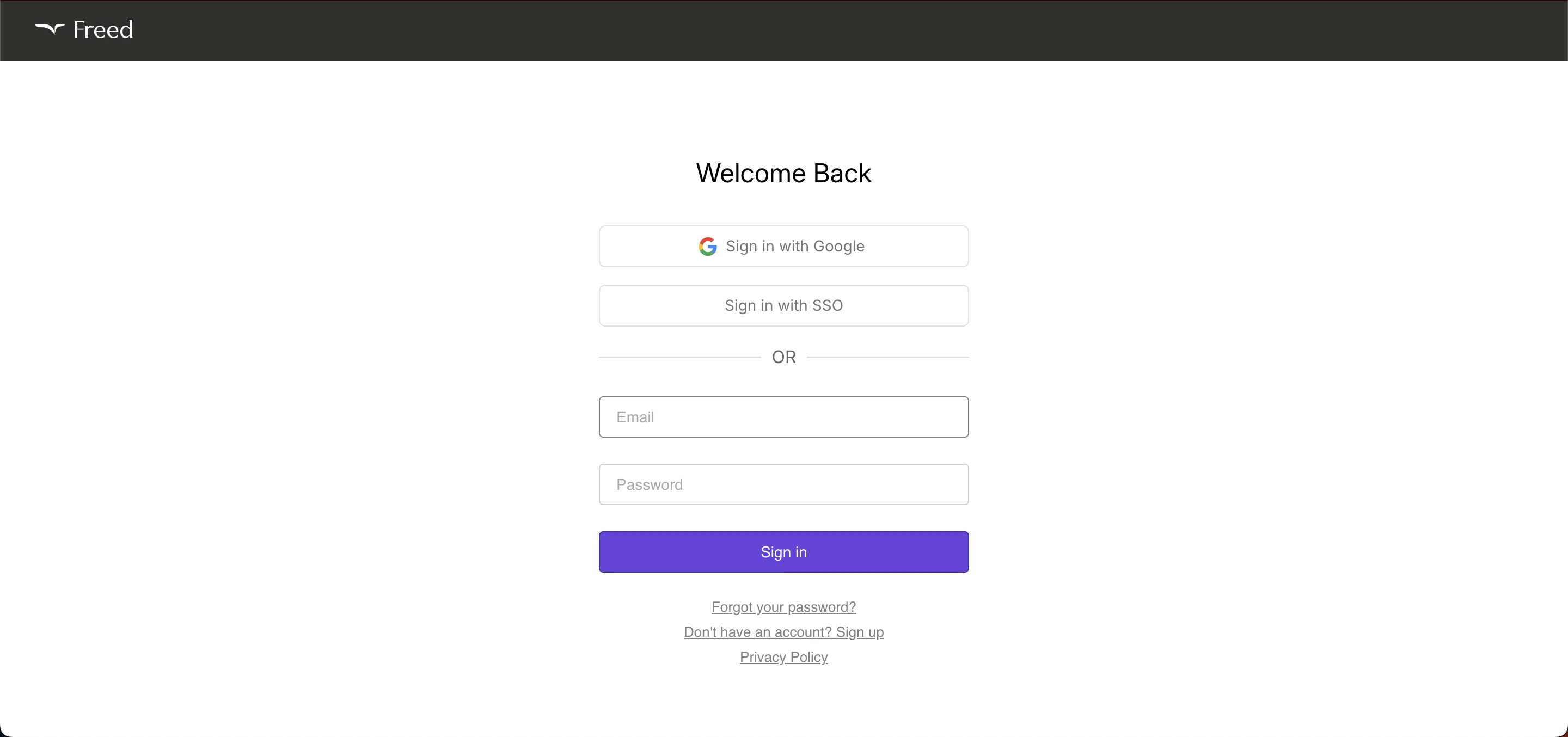
Open your browser and go to the official Freed AI website, or open the app directly on your phone if you've already installed it, since Freed works across mobile and desktop with the same core features on either. Enter your registered email and password, complete any verification step if prompted, and click Sign In. You'll land directly on your dashboard, ready to start recording an encounter.
Creating an Account for the First Time
If you're new to the platform, visit the official site and click Sign Up. Enter your email and a strong password, review your details for accuracy, and submit the registration form. Check your inbox for a verification email, click the confirmation link, then return to log in and complete your account setup.
Freed offers a 7-day free trial before you commit to a paid tier, which is genuinely worth using to test the note quality against your own specialty and documentation style before subscribing.
How the Actual Workflow Works Once You're In
Here's the core loop, and it's genuinely simpler than most clinical software.
Record. Open Freed on your phone or use the web interface and start recording the patient encounter directly. Listen. Freed captures the conversation and automatically differentiates patient speech from clinician speech. Generate. Within one to two minutes of ending the session, Freed produces a structured clinical note ready for review. Edit and transfer. You review the note, make any edits needed, and copy it to your EHR.
Freed also generates referral letters and patient instructions on standard tiers, with visit summaries and ICD-10 or CPT code suggestions available specifically on the Premier tier.
The 2026 Pricing Breakdown
Here's the current, verified pricing structure, and it's worth understanding the real differences between tiers before choosing.
Tier | Price | What You Get |
|---|---|---|
Starter | $39/month (billed annually) | Up to 40 notes per month |
Core | $79/month | Full ambient scribing for primary care use |
Premier | $104/month (annual) or $119/month | Native EHR push integration, visit summaries, ICD-10/CPT coding |
The Premier tier's native EHR write-back is genuinely new for 2026. Previously, even paying customers had notes pushed into their EHR through a browser extension rather than a true native API connection, which worked but wasn't as seamless as a direct chart drop. If that native integration matters to your workflow specifically, confirm you're on Premier before assuming lower tiers include it.
Real Limitations Worth Knowing Before You Commit
I want to be honest with you about where the platform falls short, since every review worth trusting covers this alongside the praise.
Template setup happens per clinician rather than being shared across a team, which means a multi-provider practice can't configure one master template and roll it out to everyone automatically. Suggested AI coding remains in beta as of recent reviews, so treat it as a helpful starting point rather than something to trust blindly without review. And EHR push on non-Premier tiers still runs through a browser extension rather than a native connection, which functions but isn't as clean as a true API integration.
Who Actually Uses This Platform
Freed serves more than 75,000 clinicians across 25-plus specialties, including Family Medicine, Internal Medicine, Psychiatry, Pediatrics, Behavioral Health, and Dentistry. It's gained particular traction among primary care physicians, family medicine practitioners, and solo clinicians specifically, the exact profile that benefits most from a setup requiring zero IT involvement.
On the Apple App Store, Freed holds a 4.8 out of 5 rating, one of the highest-rated AI scribe apps currently available, which is a real signal given how crowded this category has become.
Common Login Problems and Fixes
Problem | Solution |
|---|---|
Forgotten password | Use Forgot Password, enter your registered email, and follow the reset instructions |
Incorrect email or password | Double-check for typos and confirm you're using the exact email from registration |
Browser issues | Clear your cache or try a different browser if the page won't load properly |
Account not found | Confirm you're using the same email you originally registered with |
Temporary access problems | Wait a few minutes and retry, since the system may be briefly unavailable |
If problems persist beyond these steps, Freed's support team is reachable through the official website directly, and it's worth avoiding any third-party site claiming to offer account recovery outside official channels.
Data Handling and Privacy Specifics
Beyond general HIPAA compliance, Freed gives you real control over how long your data persists. You can set immediate deletion after note generation, or retain data up to 30 days, with backups persisting an additional 7 days beyond that. That level of specific retention control is worth checking directly in your account settings rather than assuming a default that may not match your practice's own compliance policy.
For the official federal guidance on what a Business Associate Agreement actually requires and covers, HHS's HIPAA guidance on Business Associate Contracts is the authoritative source worth reviewing directly if you're evaluating any AI scribe for your practice, not just Freed specifically.
How Freed Compares to the Alternatives
Freed isn't the only option in this space, and being honest about that matters. Competitors like Vero position themselves around deeper adaptive learning and a broader feature set at a comparable price point, while Commure Scribe offers native connections to 60-plus EHR systems rather than relying on browser-based integration. Twofold Health specifically offers shared master templates across a team, directly addressing the per-clinician limitation Freed currently has.
None of that makes Freed the wrong choice, its simplicity and fast setup are exactly why it's become one of the most-discussed options among solo clinicians and small practices specifically. It just means the right choice depends on whether your practice needs team-wide template sharing or a fully native EHR connection more than it needs the fastest possible setup.
Best Practices for Secure, Effective Use
Use a strong, unique password given the sensitivity of what this account protects. Avoid logging in from shared or public devices, and if you must, log out completely afterward. Spend real time on your initial template setup rather than accepting defaults, since Freed adapts to your documentation style over repeated use, and a well-configured starting point speeds that adaptation considerably.
Review every generated note before finalizing it, treating the AI output as a strong first draft rather than a finished product, particularly while suggested coding remains in beta.
Similar Healthcare Workforce Tools Worth Knowing About
If your practice is evaluating broader healthcare technology beyond just clinical documentation, staff scheduling and workforce coordination tools serve a genuinely different but related need. Our guide to Allocate Loop login covers a healthcare workforce app built for NHS staff rosters and shift management, a different tool category entirely but one that often sits alongside clinical documentation software in a practice's broader technology stack.
My Honest Take
Freed genuinely delivers on its core promise, fast setup, no IT involvement, and structured notes generated within minutes of ending an encounter. The Premier tier's new native EHR write-back closes a real gap that existed on lower tiers previously, worth the upgrade if direct chart integration matters to your daily workflow.
The honest limitations, per-clinician templates and beta-stage coding suggestions, are worth weighing against your specific practice size and needs before committing to an annual plan. Use the 7-day free trial seriously rather than skipping straight to a subscription, since note quality genuinely varies by specialty and documentation style.
FAQs
Is Freed AI login free to try?
Yes, a 7-day free trial is available before committing to a paid tier, which starts at $39 per month billed annually.
What is the difference between Freed's pricing tiers?
Starter caps notes at 40 monthly, Core covers full ambient scribing, and Premier adds native EHR push integration, visit summaries, and ICD-10/CPT coding.
Is Freed AI HIPAA compliant?
Yes, it's HIPAA compliant, SOC 2 Type II certified, and HITECH compliant, with a template BAA available directly through the signup flow.
Can multiple clinicians share the same note template on Freed?
No, template setup currently happens per clinician rather than being shared across a team, a real limitation for multi-provider practices.
What happens to my patient audio recordings after a session?
You can set immediate deletion or retain data up to 30 days, with backups persisting an additional 7 days beyond that.