
In today’s world of remote work, content creation, and online meetings, converting spoken words into written text has become essential. That’s where riverside transcription comes in a powerful tool designed to help you transform your audio and video recordings into accurate, editable text.
What Is Riverside Transcription?
Riverside transcription is a service that converts spoken audio and video content into written text. It works by using automatic speech recognition (ASR) technology to analyze your recordings and turn them into accurate transcripts.
Riverside’s transcription is part of the Riverside platform a solution that lets you record, edit, transcribe, and share audio/video content in one place.
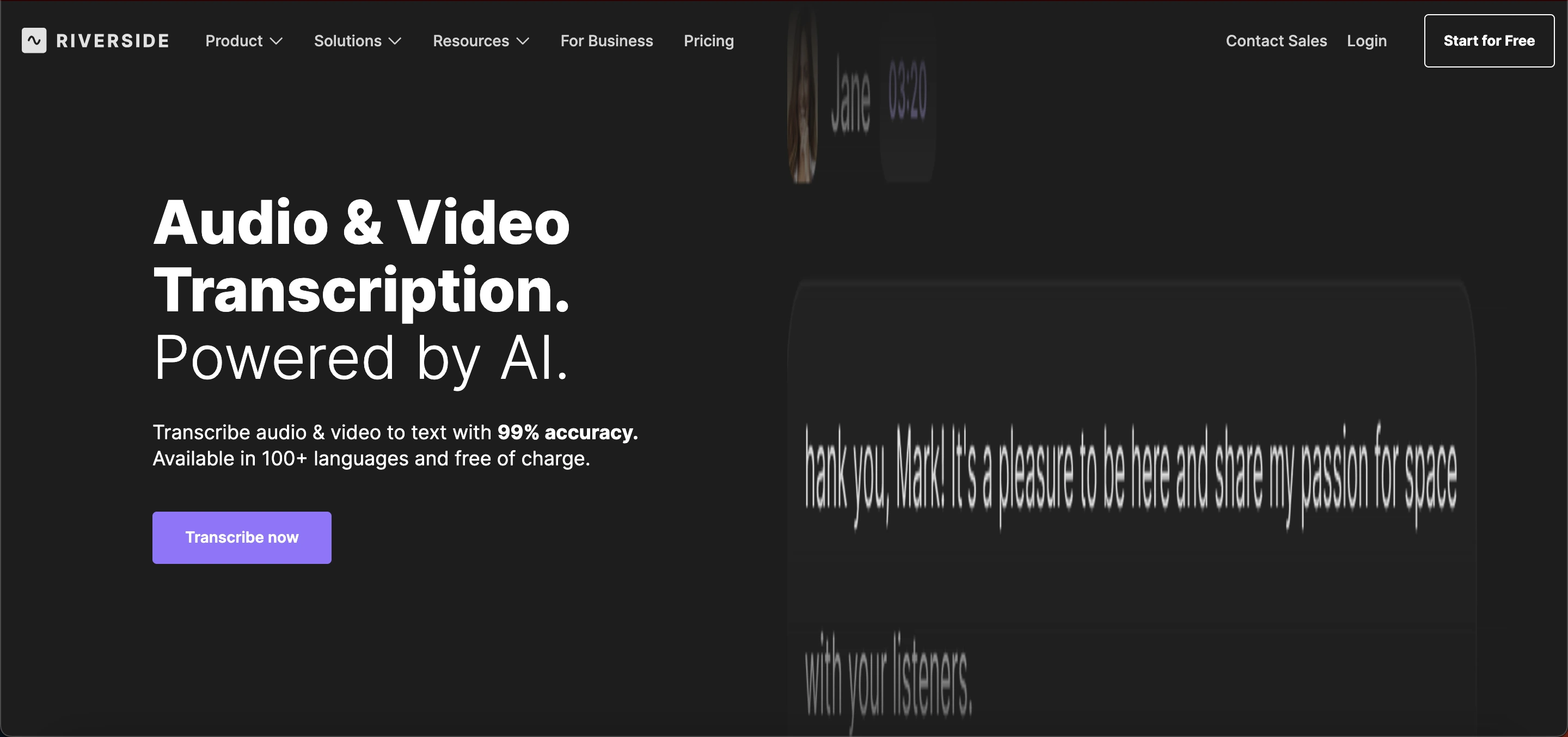 In other words, the tool helps you take conversations, interviews, podcasts, or presentations and generate readable, timestamped text that you can edit, download, and reuse in many ways.
Why Use Riverside Transcription?
Riverside transcription streamlines the process of converting speech into text, making it a reliable tool for both individuals and teams. It delivers fast results, providing transcripts within minutes of uploading or recording audio or video.
Users can expect high accuracy, with text accuracy reaching up to 99%, ensuring dependable transcripts.
The platform supports over 100 languages and dialects, including English, Spanish, Arabic, Hindi, and many more, catering to a global audience. Editing is simple and intuitive, allowing users to make changes directly within the transcript.
Additionally, transcripts can be easily exported as text (.TXT) or caption (.SRT) files. These features make Riverside transcription a practical and efficient solution for anyone seeking high-quality text versions of spoken content.
How Riverside Transcription Works
Understanding how riverside transcription works can help you use it more effectively. Here’s a simple step‑by‑step view:
Upload or record audio/video: Start by uploading your file or recording directly on the Riverside platform.
Choose the language: Set the language for transcription it supports over 100 options.
Automatic transcribing: Riverside uses AI to convert audio into text automatically.
Edit and download: Once complete, you can correct, edit, and download your transcript.
This process is built to be user‑friendly, even if you’ve never used transcription tools before.
Key Features of Riverside Transcription
Here are the standout features that make riverside transcription useful for many industries:
1. High Accuracy
Riverside delivers transcripts with a high level of accuracy often near 99%. This means fewer mistakes and less time spent fixing text after the transcription is finished.
2. Multi‑Language Support
You can transcribe content in more than 100 languages and dialects. This broad support makes riverside transcription ideal for global teams and audiences.
3. Speaker Detection
When you transcribe conversations with more than one person speaking, Riverside can identify each speaker, making it easier to follow who said what in the transcript.
4. Timestamps
Transcripts include timestamps markers that show when each sentence was spoken. This is helpful when you want to reference specific parts of the recording.
5. Multiple Export Formats
You can export transcripts as standard text files or as subtitle files (.SRT), which are ready for video captioning.
6. Editing Tools
Inside Riverside, you can edit your transcript directly, correct words, rename speakers, and make other changes quickly.
7. No Extra Software Needed
Riverside transcription works in your browser you don’t need to install any additional software. Just upload your audio/video and start.
Use Cases
Riverside transcription fits a wide range of real‑world uses. Below are some of the most common ways people use this service:
1. Podcast Transcriptions
Podcasters often use riverside transcription to convert episodes into written text. These transcripts can be published on blogs, added to show notes, or used for SEO purposes.
2. Video Captioning
Content creators use transcripts to create captions for videos, helping make videos more accessible and easier to understand.
3. Interviews and Research
Journalists, researchers, and students can transcribe interviews, focus groups, and discussions to analyze content more easily.
4. Meetings and Calls
Business teams can use riverside transcription to record and transcribe important meetings, making it simple to share summaries and action points with team members. For organizations evaluating broader workplace and HR software options, exploring Ultipro competitors can also help identify platforms that better match their team management and operational needs.
5. Educational Materials
Teachers and lecturers can convert lectures into text, making class content more accessible to students or for future reference.
6. Social Media Content
You can repurpose transcription text into blog posts, newsletters, or social media captions to reach more people with your message.
How to Sign Up for Riverside Transcription
Getting started with riverside transcription is quick and easy. Follow these simple steps:
1. Visit the Riverside Website
Go to the official Riverside site and click Sign Up or Get Started.
2. Create Your Account
Sign up using your email, Google account, or Apple ID. Verify your email to activate your account.
3. Choose a Plan
Select a free trial or a paid plan depending on your transcription needs. Paid plans offer more features and longer transcription limits.
4. Access the Transcription Tool
Log in, go to the Transcription or Speech-to-Text section, and either upload a recording or record directly.
5. Review and Download
After transcription, edit your text if needed and download it as a text or subtitle file.
Pricing Plans
Riverside offers several plans to fit different transcription needs:
1. Free Plan: $0/month
Riverside offers up to two hours of multi-track recording, along with basic audio and video tools, making it suitable for simple projects. Exports include a Riverside watermark, which is a minor limitation but acceptable for casual use.
This plan is ideal for beginners or those who only need occasional recording capabilities.
2. Standard Plan: $15 - $19/month
This plan offers up to five hours of multi-track recording per month, with no watermark on exports and higher video quality.
It is well-suited for regular creators who are beginning to use transcription and want a more professional output without limitations on branding or clarity.
3. Pro Plan: $24 - $29/month
This plan provides 15 hours of multi-track recording and unlimited text transcriptions, along with advanced editing and AI tools for enhanced workflow.
With no watermark on exports, it offers a polished, professional output. It’s ideal for podcasters and frequent content creators who need robust features and high productivity.
4. Live & Webinar Plans: $34 - $79/month
This plan adds live streaming and webinar hosting features, making it ideal for creators who want to broadcast live sessions or host virtual events. It’s tailored for those who need real-time engagement with their audience alongside recording and transcription capabilities.
5. Business / Enterprise: Custom Pricing
This plan offers unlimited recording and transcription, along with team collaboration tools and priority support. It is designed for agencies and large teams that require extensive resources, seamless coordination, and dedicated assistance for high-volume projects.
Benefits
Here’s why so many people choose riverside transcription as their go‑to transcription tool:
1. Saves Time
Manual transcription typing out every word yourself can take hours. Riverside’s automatic transcription cuts this work down to minutes.
2. Improves Accessibility
Transcriptions make media accessible to audiences who are deaf or hard of hearing. They also improve understanding for people who read faster than they can listen.
3. Boosts Content Value
Transcripts can be used to create written content like articles, summaries, and SEO‑friendly pages, helping your content reach more people.
4. Supports Global Audiences
With support for many languages, riverside transcription helps you connect with diverse audiences around the world.
5. Easy to Use
The process is simple for anyone no technical skills needed. Upload, transcribe, edit, and download.
Limitations to Consider
While Riverside transcription is a powerful tool, it has some limitations to keep in mind. An internet connection is required to use the platform, as it operates entirely online.
Although its AI transcription is highly accurate, it may occasionally misinterpret speech in noisy recordings or with heavy accents.
Additionally, some editing is still necessary, as transcripts may need proofreading to ensure complete accuracy. Being aware of these factors helps set realistic expectations when using Riverside transcription.
Tips for Best Transcription Results
Here are some practical tips to make the most of riverside transcription:
1. Use Clear Audio
High audio quality helps the software transcribe more accurately.
2. Speak Clearly
Talking clearly and at a steady pace helps reduce errors in the text.
3. Reduce Background Noise
Minimizing echoes or background sounds improves transcript accuracy.
4. Check the Transcript
Quickly read through the transcript and make corrections where needed.
These simple steps will help you get cleaner transcripts every time.
Common Problems and Solutions
Users of riverside transcription may occasionally face issues such as inaccurate transcripts, mixed-up speakers, slow processing, or upload errors.
Most problems can be solved by ensuring clear audio, reducing background noise, labeling speakers, splitting long recordings, checking file formats, and maintaining a stable internet connection.
Additionally, free plan users may encounter limits on recording hours or features, which can be resolved by upgrading to Standard or Pro plans.
Conclusion
Riverside transcription is a reliable and user‑friendly tool that turns your audio and video content into accurate written text. Whether you’re creating podcasts, recording interviews, or making captions for videos, this tool helps you save time and expand how people engage with your content.
With features like multi‑language support, speaker detection, timestamps, and easy export options, riverside transcription stands out as a valuable option for creators, teams, and professionals alike. Whether you’re new to transcription or a seasoned creator, this tool can make turning speech into text faster and easier.
Frequently Asked Questions (FAQs)
What is Riverside Transcription?
Riverside Transcription is a tool that converts audio and video recordings into written text. It supports multiple languages and provides editable, accurate transcripts for podcasts, interviews, and meetings.
How accurate is Riverside Transcription?
Riverside Transcription delivers high accuracy, often up to 99%, depending on audio quality. Clear speech and minimal background noise help achieve the best results.
Can Riverside Transcription handle multiple speakers?
Yes. Riverside can detect different speakers in a recording, making it easier to identify who said what in transcripts.
Which file formats can I export from Riverside Transcription?
You can export transcripts as plain text (.TXT) or subtitle files (.SRT) for video captions.
Does Riverside Transcription support other languages?
Yes. It supports more than 100 languages and dialects, allowing global teams and audiences to use the tool effectively.