
A small Christian school administrator I know spent three years running admissions off a shared Google Sheet and a filing cabinet, and it wasn't until a parent complained about a missing allergy record that she went looking for actual software. That's the exact gap SchoolCues has spent over a decade filling for schools too small for the enterprise systems and too underfunded for anything fancy.
I went through the platform properly, pricing, features, real reviews, and the parts of the marketing page I think deserve a skeptical eye. Here's the full picture.
What SchoolCues Actually Is
SchoolCues is a school management solution that helps educational institutions handle student admissions, enrollment, tuition payments and parent communication. It's built specifically for small schools, and that specificity matters more than it sounds like on paper.
With over 10 years of experience, the platform has supported Montessori, Private, Charter, Christian, Lutheran, Catholic, Independent, Islamic, and Waldorf schools in managing their operations, which tells me this wasn't designed as a scaled-down version of an enterprise district system. It was built from the ground up around the specific budget and staffing constraints small independent schools actually face.
 The Core Feature Set
Here's what you're actually getting once you're set up.
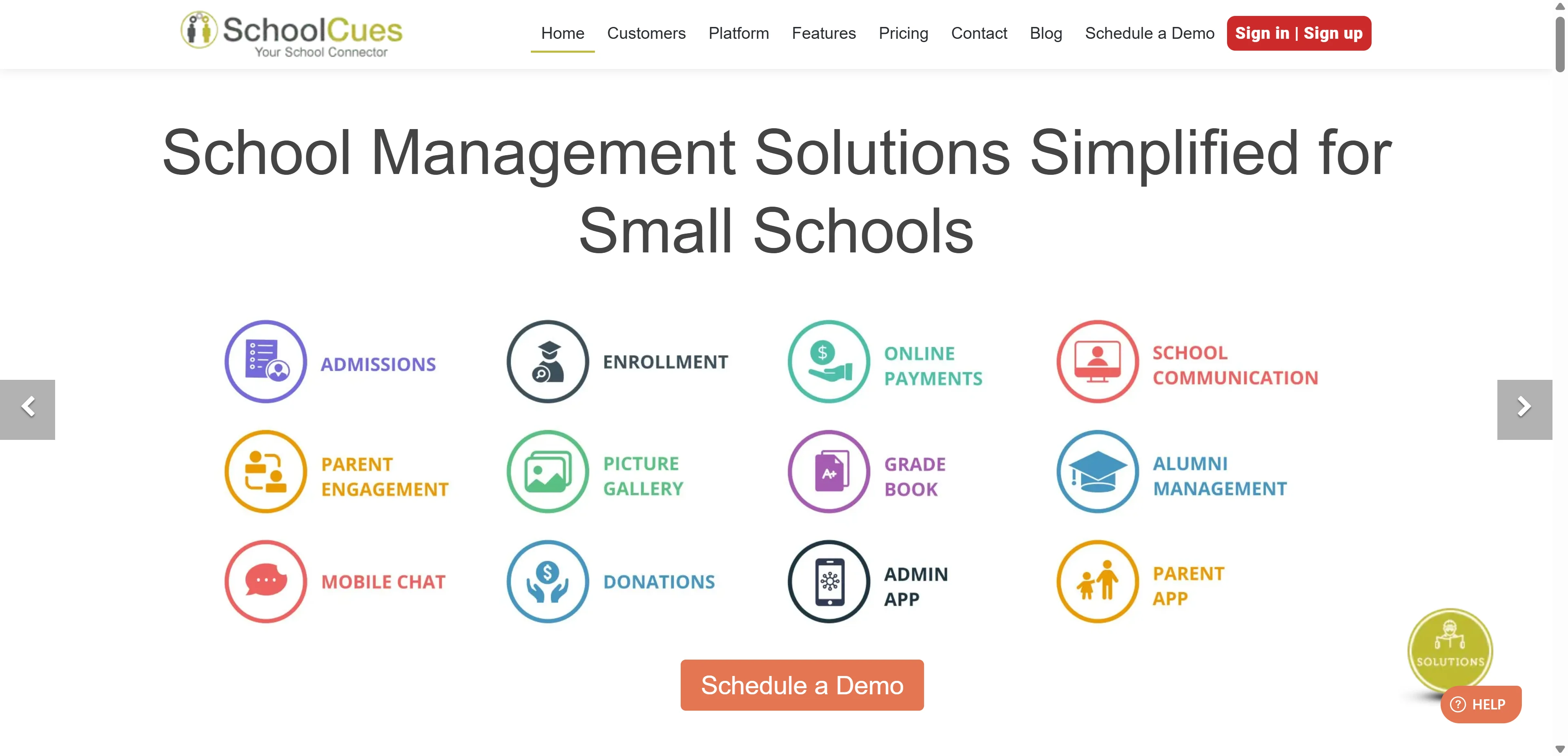
Student information management captures and stores medical records, allergies, emergency contact details, photos, and general enrollment data in one centralized repository rather than scattered across paper files and separate spreadsheets. Admissions and enrollment happens through customizable digital workflows that handle application collection, document submission, and approvals, cutting the paper trail that eats up admin time every fall.
Billing and tuition management covers online fee payments and other miscellaneous payment collection, addressing one of the most tedious recurring admin tasks small schools deal with. Attendance and gradebooks let teachers track attendance at different grade levels and send daily reports and homework directly to parents, keeping communication tight without extra manual work.
Parent communication tools include text messages, newsletters, announcements, calendar reminders, permission slips, and even mobile audio and video messages, all from one dashboard rather than juggling email, a separate texting app, and paper flyers sent home in backpacks.
Alumni management is a genuinely uncommon feature at this price point, letting administrators maintain alumni lists, interact with former students, and collect donations, useful for schools trying to build long-term community engagement and fundraising beyond just current families.
The Pricing Confusion Worth Clearing Up
Here's something I want to flag honestly because it genuinely confused me during research, and I suspect it confuses buyers too.
You'll see SchoolCues advertised two different ways depending on where you look. One source lists pricing starting as low as $75 per month for a 12-month school year. Another describes pricing at just $1 monthly per student, positioned as 60 percent more cost-effective than comparable solutions. Both figures show up across SchoolCues' own marketing pages.
My read on this is that the $75 monthly figure is likely the base platform tier for smaller enrollments, while the per-student pricing scales with school size for larger institutions. If you're actually shopping, don't take either number at face value, request a direct quote based on your specific enrollment count, since the marketing pages themselves aren't fully consistent about which model applies when.
Setup Speed: The Part Worth Highlighting
Most implementations complete within five business days, which is genuinely fast for a system replacing admissions, billing, attendance, and communication all at once. For a small school with limited IT staff, that's the difference between a manageable transition over a long weekend and a multi-week rollout that disrupts an entire semester.
I'd treat that claim with reasonable trust specifically because SchoolCues' whole positioning is built around simplicity for small institutions rather than the sprawling, months-long implementations larger district-wide systems typically require.
The Feature That Feels Genuinely Dated
I want to be straight with you about something in the current feature list. SchoolCues still markets an electronic Covid screening app that helps management keep students, teachers and other staff completely safe, and it's still listed prominently on their features page as of 2026.
That's an odd thing to still be leading with this far removed from the pandemic's peak relevance. It's not necessarily useless, the underlying infrastructure could plausibly repurpose for general illness screening or outbreak tracking, but seeing it marketed by name specifically as a Covid tool this many years later makes me wonder how actively the feature set gets refreshed versus how much is legacy marketing copy nobody's updated. Worth asking about directly in a demo if illness tracking matters to your school.
Security and Compliance
Features include data storage management, billing, reporting, alerts, SSL encryption and more, and the platform uses 256-bit encryption while complying with FERPA regulations, the federal student privacy law that governs how schools handle education records.
For a small school without dedicated IT or compliance staff, having FERPA compliance built into the platform rather than something you have to configure and verify yourself is genuinely valuable. If you want to understand exactly what FERPA actually requires of schools handling student data, the U.S. Department of Education's official FERPA guidance lays out the full regulatory framework any school management software should be built around.
Real User Feedback
SchoolCues holds a 4.8 out of 5 rating from 36 reviews on SaaSWorthy, with an 87 percent SW Score in their category ranking system. Reviewers consistently praise responsive and helpful customer support, a user-friendly interface, and comprehensive features that streamline school management without overwhelming staff who aren't naturally tech-savvy.
That customer support praise matters more than it might seem for this specific audience. Small school administrators are frequently wearing five different hats at once, admissions, IT, communications, sometimes even teaching, and a platform that requires constant troubleshooting eats time they genuinely don't have.
Who Should Actually Use SchoolCues
Small private, faith-based, or independent schools with limited administrative staff and a genuinely tight software budget are exactly who this platform is built for. If you're currently running admissions and communication through a patchwork of Google Sheets, group texts, and paper forms, SchoolCues consolidates that mess into one place without asking you to become a systems administrator.
Schools wanting fast implementation without a lengthy IT rollout benefit specifically from the five-day setup timeline. And institutions prioritizing parent communication and engagement, particularly schools relying on strong family relationships for enrollment and retention, get real value from the built-in text, newsletter, and mobile messaging tools.
Who Should NOT Use SchoolCues
Larger schools or districts needing advanced analytics, standards-based grading, or deep competency tracking should look elsewhere. Competitors like Classter and Gradelink offer more advanced analytics capability that SchoolCues doesn't prioritize, since its entire design philosophy centers on simplicity over depth.
Schools that have already invested heavily in a separate, robust LMS and only need basic administrative functions might find some overlap here wasteful, since SchoolCues bundles communication and admin tools together rather than letting you pick just one piece.
Schools with more complex operational requirements may also need specialized platforms beyond education administration. For example, organizations managing large-scale purchasing, complex pricing, and supplier relationships can benefit from understanding the different B2B eCommerce platforms for manufacturers and distributors available for handling more advanced commercial workflows.
And if the pricing ambiguity I mentioned earlier bothers you, schools that need fully transparent, published pricing before even booking a demo might find the process frustrating, since getting a real number requires direct contact rather than a clear public pricing page.
How It Compares to the Alternatives
Among small school-focused competitors, feKara offers a genuinely free tier, appealing if budget is your absolute top constraint and you're willing to accept a more limited feature set. AEDU and Edufar both score competitively on feature completeness in independent comparisons, sitting in a similar price and capability range.
Sycamore School and Bloomz are frequently cited alongside SchoolCues specifically for intuitive interfaces, worth demoing side by side if ease of use for non-technical staff is your primary concern. SchoolCues also supports Google Classroom integration, which matters if your teachers already have lesson and assignment workflows built around that ecosystem and don't want to abandon it for a new LMS layer.
If you're evaluating how other niche, budget-conscious SaaS tools handle a similarly underserved professional market, our review of Ripley Fieldwork Tracker covers a completely different vertical, BCBA certification hour tracking, but the same underlying pattern of a purpose-built tool serving a specific niche that generic software simply doesn't address well.
My Honest Take
SchoolCues does what it says on the label. It's a genuinely affordable, fast-to-implement system built specifically for the small school market that larger, more expensive platforms tend to ignore. The communication tools and student information system cover the real day-to-day pain points small school administrators deal with constantly.
The pricing page inconsistency is a fair criticism worth going in aware of, and the lingering Covid screening branding makes me curious about how actively certain parts of the feature set get maintained. Neither is a dealbreaker, but both are worth asking about directly before you sign anything.
If you're a small independent or faith-based school currently drowning in spreadsheets and group texts, SchoolCues is a legitimate, well-reviewed option worth demoing. Just get a real quote in writing before assuming either the $75 or the $1-per-student figure applies to your actual enrollment.
FAQs
What is SchoolCues used for?
An all-in-one school management platform handling admissions, enrollment, tuition billing, attendance, and parent communication for small schools.
How much does SchoolCues cost?
Pricing is advertised inconsistently between $75 per month flat and $1 per student monthly, so request a direct quote based on your enrollment.
How long does SchoolCues take to set up?
Most implementations complete within five business days according to the vendor.
Is SchoolCues FERPA compliant?
Yes, it uses 256-bit encryption and complies with FERPA, the federal student privacy law governing education records.
What type of schools use SchoolCues?
Small Montessori, private, charter, Christian, Catholic, independent, Islamic, and Waldorf schools primarily use the platform.