

If you complete 1,500 concentrated hours, that's the equivalent of 2,000 non-concentrated hours. Ripley tracks this by multiplying concentrated hours by 1.333 before adding them to your Total Hours Completed graph.
That single multiplier is the kind of detail that trips up a lot of BCBA candidates who don't realize concentrated and non-concentrated fieldwork hours aren't counted the same way. Here's everything Ripley Fieldwork Tracker actually does, and why getting this math right matters for your certification timeline.
What Ripley Fieldwork Tracker Actually Is
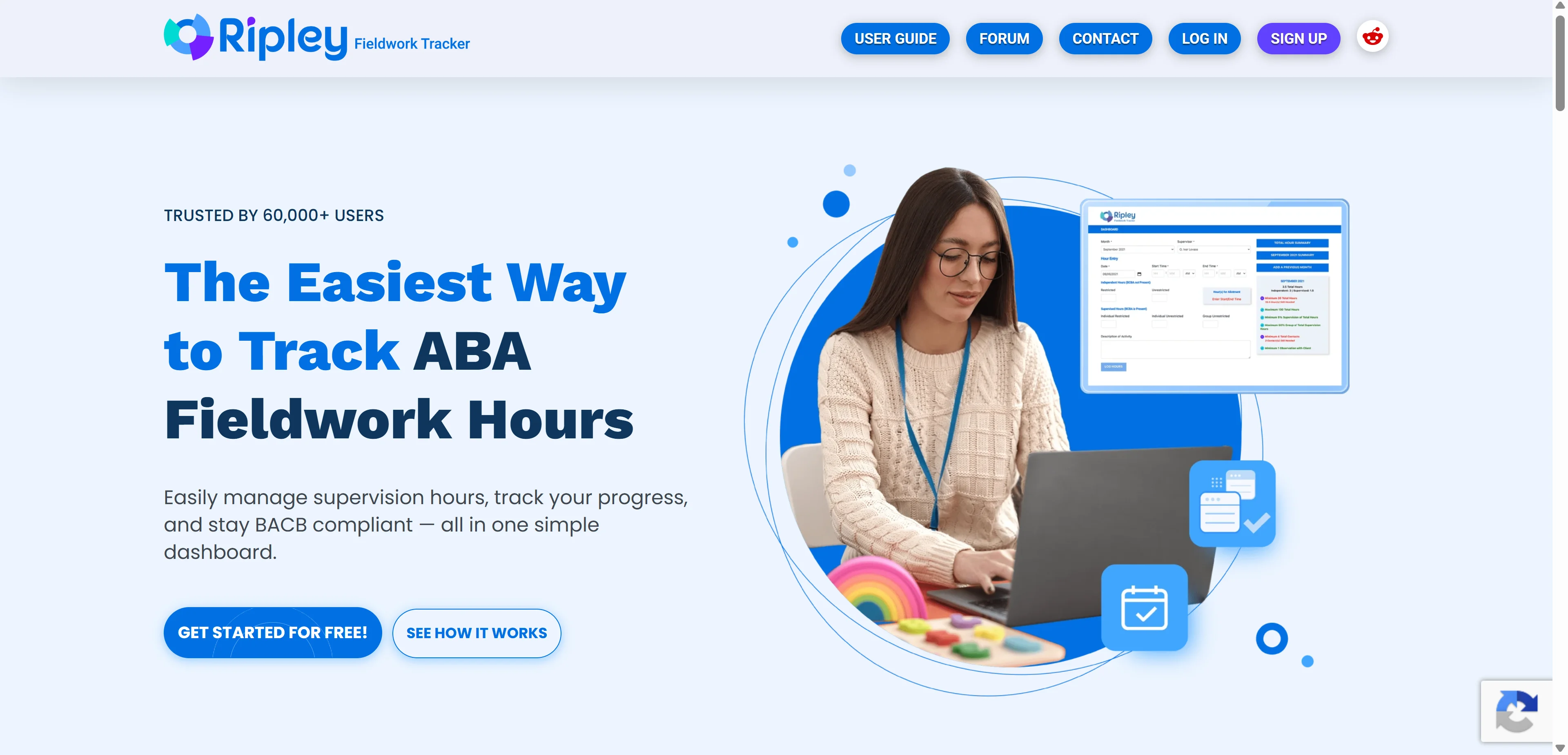
Ripley Fieldwork Tracker is an online web application that allows ABA therapists to track their independent fieldwork hours as they work toward meeting the requirements to take the BCBA certification exam.
This is worth clarifying upfront because search results for this tool are genuinely inconsistent, some directories mislabel it as generic construction or delivery time-tracking software. That's incorrect. Ripley is purpose-built specifically for Applied Behavior Analysis fieldwork documentation, designed to simplify documentation, support BACB-aligned tracking workflows, and reduce administrative friction for candidates working toward BCBA or BCaBA certification.
 Who This Software Is Actually For
Ripley is designed for behavioral health organizations and ABA practices that support ABA therapists, supervisors, and aspiring BCaBAs. It's suited to teams in the applied behavior analysis field, especially those managing fieldwork tracking and supervision for professional development and certification requirements.
That includes individual fieldwork candidates tracking their own hours, supervisors overseeing multiple supervisees at once, ABA employers managing documentation across a whole team, and graduate programs monitoring student progress toward certification.
The Core Features
The software features an intuitive dashboard interface where users can log fieldwork hours by date and add details like supervision format. Users can view monthly summaries and generate monthly verification forms to submit to supervisors.
Bulk Upload for Previous Hours
If you've been tracking hours elsewhere before switching to Ripley, key features include bulk upload of previous hours, so you're not manually re-entering months of history line by line. One thing worth knowing: you can't combine bulk entries with individual entries, you have to choose one strategy from the start.
Multiple Supervisor Support
The ability to have multiple supervisors is built in, which matters for candidates who work across different sites or transition supervisors partway through their fieldwork.
Concentrated Hour Tracking
This is the feature that trips people up the most, and it's the one from the opening of this article. Concentrated and non-concentrated hours count differently toward your total, and Ripley handles that math automatically rather than leaving candidates to calculate it manually. On the monthly dashboard page, all concentrated months will show the need of additional contacts and observations to fulfill the concentrated month's requirements, so you're never guessing whether you've hit the threshold.
API and Reporting
Ripley Fieldwork Tracker offers an API, an activity dashboard, online time tracking, billable and non-billable hours tracking, and reporting and analytics. These features support time capture, activity monitoring, and performance reporting for fieldwork and related project requirements.
As more specialized software platforms build communities and manage communication across digital channels, the underlying principles behind effective online engagement matter too. For a broader look at tools businesses use to organize publishing, scheduling, and audience engagement, check out our guide to the best social media management tools.
The 2027 BACB Requirements Are Already Live
Here's something current and worth flagging directly for anyone tracking hours right now.
Ripley's scheduled maintenance is complete, and the 2027 BACB requirements are now live. Candidates can now access all updated features and functionality aligned with the newest certification standards.
If you're not sure exactly what the current requirements are, the Behavior Analyst Certification Board maintains the official, authoritative fieldwork requirements at bacb.com, which is the source every tracking tool, Ripley included, is ultimately building its compliance logic around. Cross-checking your Ripley dashboard against the BACB's own published requirements periodically is a smart habit, especially during a requirements transition year like this one.
The Growth Numbers
Ripley Fieldwork Tracker, the widely adopted online platform for tracking ABA fieldwork hours, announced in February 2026 that it has grown to more than 80,000 users and is now recognized as the top online tool for ABA fieldwork tracking.
That scale matters for a niche certification tool. It suggests the platform has become something close to the default choice for candidates going through university ABA programs and behavioral health organizations, which also means bugs and edge cases tend to get identified and fixed faster given how much real-world usage the platform sees.
Where Ripley Falls Short
No tool is without honest criticism, and it's worth covering what competitors and reviewers point to specifically.
Newer competitors argue candidates need real-time compliance validation, full data ownership, modern UX, and a tool that does not show them advertisements while they are trying to document their hours. That's a direct critique from a competing product, ABA Fieldwork Tracker, which markets itself specifically as the ad-free alternative.
To be fair, even that competitor acknowledges Ripley's role in the space. Ripley proved that digital tracking was better. It gave candidates a centralized place to log hours, generate summaries, and keep their fieldwork organized. Ripley has been around the longest and pioneered the idea that fieldwork tracking should live online.
The honest takeaway: Ripley built the category and remains the largest player, but if ads or data ownership concerns bother you specifically, that's the competitive angle worth investigating before you commit.
Who Should NOT Use Ripley
Not every ABA candidate needs this specific tool, and it's worth being direct about who should look elsewhere.
If ads genuinely bother you while you're trying to focus on documentation, Ripley's ad-supported model is a real friction point that a competitor like ABA Fieldwork Tracker was built specifically to solve. Don't ignore that if it's a dealbreaker for your workflow.
If you're a practicing BCBA already past certification and looking for full clinic practice management, scheduling, billing, and clinical data collection, Ripley isn't built for that at all. It's exclusively a fieldwork hour tracker for candidates still working toward certification, not a practice operations platform.
If you want guaranteed full ownership and portability of your logged data with no dependency on a single vendor's platform staying operational, that's worth researching directly with Ripley's data export policies before committing months of hour logging to any single tool, Ripley included.
And if your university ABA program or employer already mandates a specific tracking tool as part of their supervision workflow, that institutional requirement should override a personal preference for Ripley or any alternative, since your supervisor needs to actually receive and verify your logs in whatever format they're set up to review.
Ripley vs the Alternatives
Here's how the competitive landscape actually breaks down for anyone comparing options.
Tool | Positioning | Notable Difference |
|---|---|---|
Ripley Fieldwork Tracker | Market leader, 80,000+ users | Longest track record, largest user base |
ABA Fieldwork Tracker | Ad-free challenger | Positions on data ownership and no advertisements |
ClockShark | General field service GPS tracking | Not ABA-specific, built for construction/field service |
Trackabi | General time and leave management | Broader business use case, not certification-focused |
If you're specifically in the ABA certification path, Ripley and its direct ad-free competitor are the two purpose-built options worth seriously comparing. The general time-tracking tools in that table exist for a completely different market and won't handle BACB-specific requirements like concentrated hour weighting at all.
For a broader look at how AI and software are reshaping ABA practice management more generally, beyond just fieldwork tracking specifically, our Aloha ABA review covers practice-level software built for running an entire clinic, which is a genuinely different tool category from individual fieldwork hour logging but worth knowing about if you're moving from candidate to practicing clinician.
Pricing
Public pricing isn't listed directly by Ripley or across the directory listings that cover it. Get Detailed Ripley Fieldwork Tracker pricing as per your requirements typically means requesting a quote directly through the platform rather than finding a fixed published rate.
Given the scale of users on the platform and the relatively narrow, well-defined feature set aimed at individual candidates, expect pricing to sit well below general enterprise workforce software, though the exact figure requires checking directly with Ripley for current rates.
Getting Started
Follow the link on Ripley's homepage to receive the free Ripley Fieldwork Tracker Illustrated Guide before you commit to anything, which walks through the dashboard and logging process visually before you start entering real hours.
Decide upfront whether you'll use bulk entry for past hours or line-by-line entry going forward, since the platform doesn't let you mix both approaches within the same account. If you're transitioning from paper logs or a spreadsheet, bulk upload is almost certainly the faster path to getting current.
FAQs
What is Ripley Fieldwork Tracker used for?
It tracks independent ABA fieldwork hours for candidates working toward BCBA or BCaBA certification, aligned with BACB requirements.
How does concentrated hour tracking work in Ripley?
Concentrated hours are multiplied by 1.333 before being added to your total, since 1,500 concentrated hours equal 2,000 non-concentrated hours toward certification.
How many users does Ripley Fieldwork Tracker have?
Over 80,000 users as of February 2026, making it the most widely adopted platform in this specific category.
Can I use bulk upload and manual entry together in Ripley?
No, you must choose one method. Bulk entry works well for past hours, while manual entry suits ongoing daily logging.
What is the main alternative to Ripley Fieldwork Tracker?
ABA Fieldwork Tracker positions itself as the ad-free, data-ownership-focused competitor to Ripley's longer-established platform.