
My cousin enrolled in Stepful's Medical Assistant program last month and the first thing she texted me was "I can't figure out how to log in." She had her welcome email sitting right in her inbox. She just didn't know which link to click or where the actual classroom was.
I walked her through it and figured I'd write the whole thing down. Here's everything you need to know about logging into Stepful and getting into your coursework without the confusion.
What Is Stepful and Where Do Students Actually Log In
Stepful is an online healthcare training platform that offers programs in Medical Assisting, Pharmacy Technician, Phlebotomy, and other clinical roles. Everything is 100% online and the programs are designed to be completed in about four months.
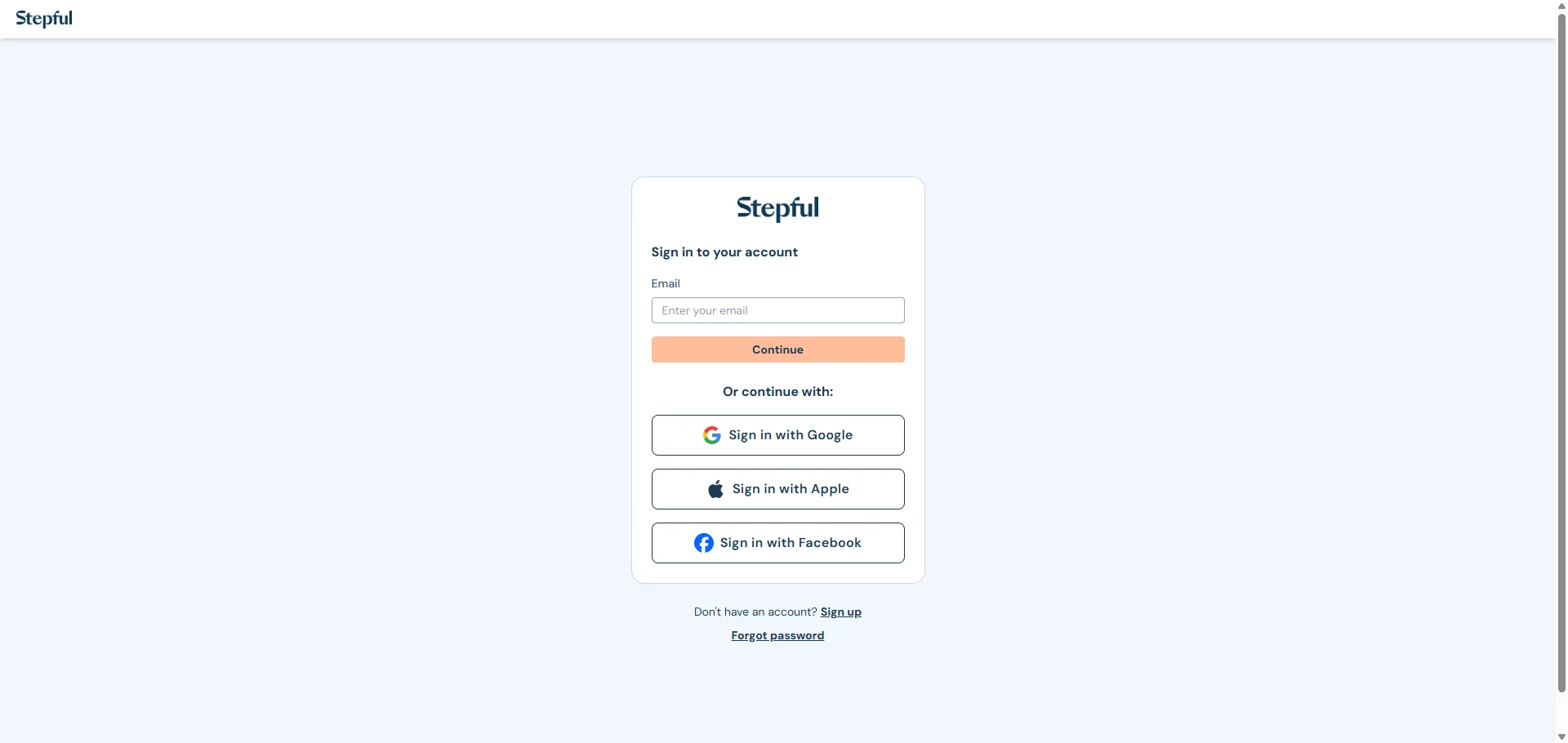
The student learning platform is called Stepful Classroom. The login URL is classroom.stepful.com/users/sign_in.
That's the page you want. The main marketing site at stepful.com is just information about the programs. The actual classroom where your assignments, quizzes, and community live is at classroom.stepful.com.
How to Log In to Stepful Classroom
Go to classroom.stepful.com/users/sign_in in your browser.
Enter the email address and password you used when you created your Stepful account. Click Sign In and your dashboard opens with your active program.
Before You Try to Log In
Here's the thing. Stepful doesn't let students create accounts on their own before enrollment is confirmed.
You receive a welcome email from Stepful about one week before your program start date. That email contains the instructions and the link to create your account and log in for the first time. Until that email arrives, there's nothing to log into yet.
If you're a Guild Education student specifically, make sure the name and email you use to create your Stepful account exactly match what you submitted on your Guild application. Using different information causes delays in your enrollment being recognized.
 The Mobile App Option
Stepful has a dedicated mobile app available on both iOS and Android. You log in with the same email and password as the web classroom.
The app gives you access to course materials, assignments, your peer community, grades, and push notifications for upcoming deadlines. From what I saw, real students say it makes checking progress and staying on track much easier than opening a browser every time.
One Thing Worth Knowing About the App
Some students report occasional crashing on the mobile app, especially when restarting quizzes. It's an active issue the team is working on.
For completing longer assignments and quizzes, a laptop or desktop browser is more stable. Use the app for checking schedules, reviewing shorter materials, and staying on top of notifications.
What You Need to Access Stepful
Stepful keeps the requirements simple on purpose. You don't need to install any special software.
You need a mobile phone, tablet, laptop, or desktop computer with a working webcam. You need a stable internet connection. And you need access to Zoom and Slack for live class sessions, though you can use the browser versions of both without downloading anything.
That's it. No downloads, no plugins, no complicated setup.
Forgot Your Password
Go to classroom.stepful.com/users/sign_in and look for the Forgot Password link on the login page. Enter the email address tied to your Stepful account and a reset link gets sent to your inbox.
Check your spam folder if the email doesn't show up within a few minutes. Automated emails from learning platforms sometimes land in spam depending on your email provider's filters.
If You're a Guild Education Student
If your program is employer-funded through Guild, your Stepful account is tied to the email you used on your Guild application.
Make sure you're requesting the reset to that specific email. If you've changed your email since applying through Guild, contact Stepful directly at hello@stepful.com to sort out the account details before trying to reset anything.
Also Read: LEFTA Login: Full Guide for Law Enforcement Users
Common Login Problems and How to Fix Them
Wrong Login URL
This is the most common issue by far. People try to log in through stepful.com and can't find a portal because the main website is just for program information.
The classroom is at classroom.stepful.com/users/sign_in. Bookmark that URL right now.
Account Doesn't Exist Yet
If you get a message saying your account doesn't exist, it likely means your welcome email hasn't arrived yet or you haven't created your account from the link inside that email.
Stepful sends the welcome email about one week before your start date. If your start date has passed and you still haven't received it, check your spam folder first. If it's not there, email hello@stepful.com with your name and enrollment details.
Email and Password Don't Match
Double-check which email you used when setting up your Stepful account. A lot of students have multiple email addresses and accidentally try the wrong one.
Also type your password manually rather than pasting it. Copied passwords can carry invisible formatting characters that make them fail at login even when they look correct on screen.
Browser Issues
If the login page loads but buttons aren't responding or the page looks broken, clear your browser cache and cookies. Close the browser completely, reopen it, and try again.
Chrome tends to work most consistently with Stepful's classroom. If you're on Safari or another browser and running into issues, switching to Chrome usually resolves it.
Logging In Through Guild Education
If your employer sponsors your education through Guild, you manage your enrollment through your Guild account first. You confirm your spot in the program through the Guild portal before your Stepful account gets created.
Once Guild processes your confirmation, Stepful sends you the welcome email with instructions to create your classroom account. From that point, your day-to-day login is directly at classroom.stepful.com rather than going through Guild each time.
Here's the thing that trips people up. Do not try to log into Stepful Classroom before Stepful sends you that welcome email. If you create your account too early or use different information than what's on your Guild application, your tuition coverage may not connect properly to your enrollment.
Wait for Stepful to reach out first. It saves a lot of headaches down the line.
What You Find Inside the Classroom Once You're In
Once you're logged in your dashboard shows your active program with all your assignments laid out in sequence.
The classroom includes practice quizzes, flashcards, and study materials for your NHA certification exam prep. Live instructor-led classes run on Zoom and your class schedule shows up directly in your dashboard after you select your preferred class time.
There's also a peer community built into the platform. From what I saw in real student reviews, this is one of the things students genuinely appreciate. You're not going through the program alone. There are other students at the same stage as you going through the same material.
Your grades and progress tracking are all visible from the dashboard. Dedicated one-on-one coaching for job placement support is also accessible through the platform once you near program completion.
Contacting Stepful Support
If you've tried everything and still can't get into your account, the direct contact for student support is hello@stepful.com.
When you email them, include your full name, the email address you enrolled with, your program name, and a brief description of what's happening when you try to log in. That gives the support team exactly what they need to look up your account and resolve the issue quickly.
From what I saw, Stepful's team is responsive and students consistently mention that instructors and staff check in proactively throughout the program. So if something is wrong with your access, reaching out directly gets results.
FAQs
What is the Stepful login URL?
The student classroom login is at classroom.stepful.com/users/sign_in. The main stepful.com website is for program information only and has no login portal.
Why doesn't my Stepful account exist yet?
Stepful sends a welcome email with account creation instructions about one week before your start date. You can't log in until that email arrives and you've set up your account from the link inside it.
Can I log into Stepful on my phone?
Yes. The Stepful mobile app is available on iOS and Android. Log in with the same email and password as the web classroom. For longer assignments and quizzes, a desktop or laptop is more stable.
What do I do if my Stepful password reset email never arrives?
Check your spam folder first. If it's not there, email hello@stepful.com with your name and the email address you enrolled with and they'll sort it out manually.
I enrolled through Guild Education. How do I log into Stepful?
Confirm your spot through your Guild account first, then wait for a welcome email from Stepful. After that, log in directly at classroom.stepful.com using the same name and email you used on your Guild application.