

My friend runs a small consulting business and every month end looked the same. Him at his kitchen table, surrounded by crumpled receipts, trying to remember what he spent on what.
I told him about Dext. He signed up, logged in for the first time, and texted me two days later saying he wished he'd done it years ago.
So let me walk you through the whole thing. The login, what's inside, and whether it's actually worth your time.
How to Actually Log In
Let's start with the basics because that's probably why you're here.
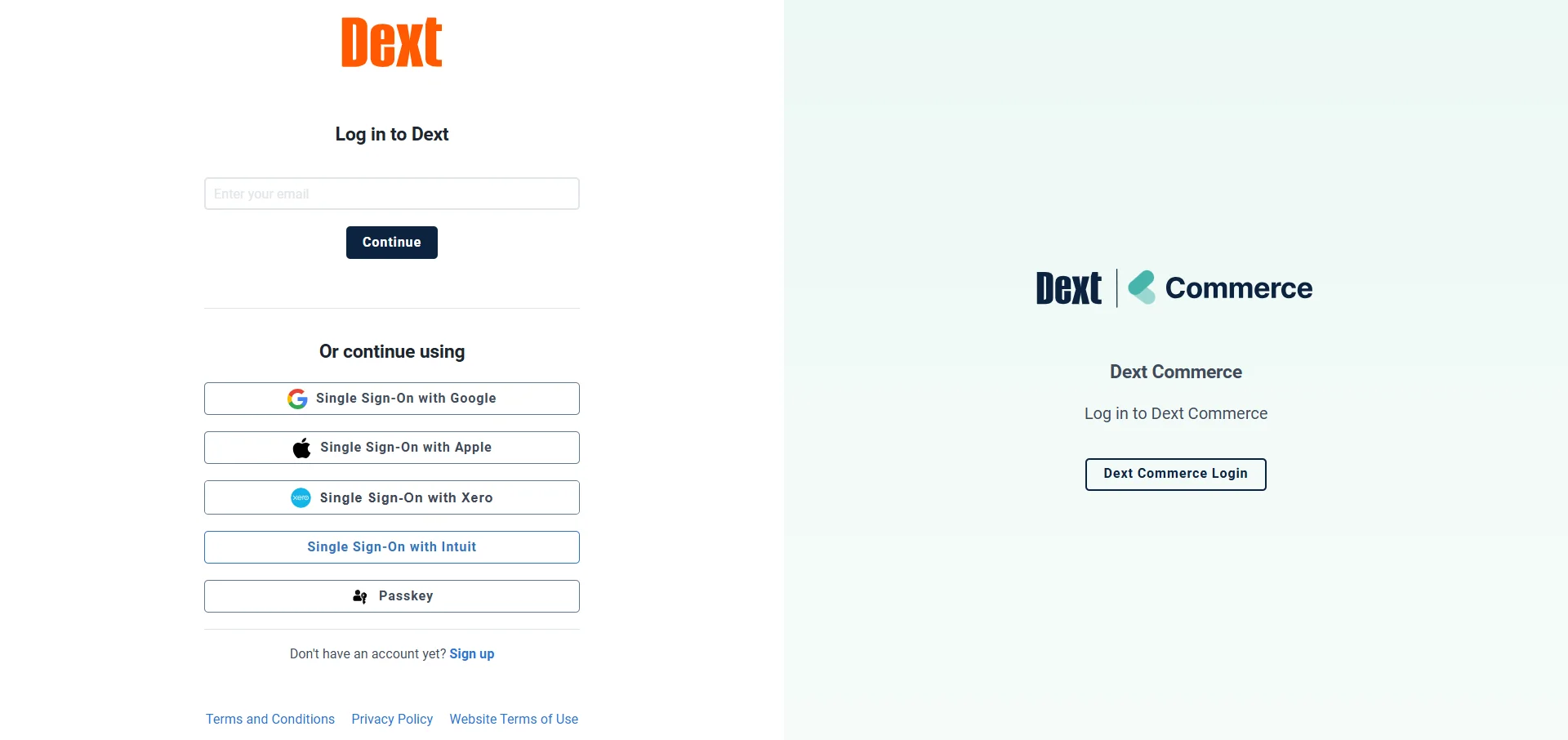
The direct login URL is app.dext.com/login. Go there, enter your email and password, and you're in.
If you already have a Dext account for any other Dext product, the credentials are the same. One login works across everything. No separate accounts, no confusion.
If you're brand new, click sign up first. It takes about two minutes. Email, password, verify, done.
I'd also strongly recommend turning on two factor authentication right after you log in for the first time. Financial data is sensitive. That extra layer is worth it.
 Logging In on Mobile
Most people end up doing the majority of their expense work on their phone. Dext knows this and built the app around it.
Download the Dext app from the iOS App Store or Google Play. Open it, enter your login details, and you land straight in your dashboard.
The mobile app is where the real magic happens. You snap a receipt right after a purchase and submit it in seconds. No saving it for later, no losing it in a jacket pocket.
If you manage multiple company accounts, you can switch between them inside the app without logging out and back in every time.
Common Login Problems and How to Fix Them
Let me cover this because login issues are annoying and I want you past them fast.
The most common one is just a wrong email. People have multiple accounts under different emails and mix them up. Try every email you might have used to sign up.
If you're locked out, hit the Forgot Password link on the login page. You'll get a reset email within a couple of minutes.
If the page isn't loading properly, try clearing your browser cache first. Then try a different browser entirely. Chrome tends to work the smoothest with Dext.
If you're getting a two factor authentication error, make sure the time on your phone is synced correctly. That's usually the culprit when the codes aren't working.
So What Even Is Dext Expenses?
Now that you're in, let me explain what you're actually looking at.
Dext is a bookkeeping automation platform. The expenses side of it handles everything from receipt capture to approval workflows to syncing with your accounting software.
The core idea is simple. Instead of manually entering expense data, you just feed Dext the receipts and it does the rest.
Its AI and OCR technology pulls data from receipts and invoices with over 99 percent accuracy. That includes handwritten receipts, which honestly impressed me when I first saw it work.
How to Submit an Expense After Logging In
This is the part most people want to know first. So let me walk through it clearly.
The easiest way is through the mobile app. Open Dext, tap the camera icon, snap a photo of your receipt, and hit submit. That's it.
You can also submit expenses by forwarding receipt emails directly to your unique Dext email address. Every account gets one. Forward the email and Dext pulls the data automatically.
If you're uploading from your computer, just drag and drop files directly into the Dext dashboard. It handles PDFs, images, and most common file formats.
For mileage, Dext has a GPS enabled tracker built right in. It logs your journey automatically and generates an HMRC ready mileage claim without any manual input.
Also Read: Dext Precision Login: Why Accountants Are Obsessed With It
What Dext Does With Your Receipts
Here's the part that actually saves the time. And it's worth understanding properly.
Once you submit a receipt or invoice, Dext extracts all the relevant data. Supplier name, date, amount, tax, currency. All of it pulled out automatically.
It then categorizes the expense based on your previous transactions. The more you use it, the smarter it gets at categorizing things the way you want.
After that, the data is ready to publish directly to your accounting software. One click and it's in Xero, QuickBooks, or Sage. No re-entering anything.
The whole process from receipt to accounting software takes about thirty seconds once you're set up properly.
The Approval Workflow Feature
This one is big for anyone managing a team. And I think it's underused.
Once an expense is submitted, Dext can route it automatically to the right person for approval. You set the rules once and it handles the rest.
You can set different approval rules for different expense types. Over a certain amount goes to a manager. Travel expenses go to a different approver. It's all customizable.
The person approving gets a notification, reviews the expense, and approves or rejects it directly inside Dext. No email chains, no chasing people down.
Once approved, the expense moves straight into the next stage of the workflow automatically.
The Integrations Are the Real Power Move
Here's what makes Dext genuinely useful beyond just storing receipts.
It connects with over 11,500 banks, payment providers, and e-commerce platforms. So your bank transactions are pulling in automatically alongside your manually submitted receipts.
For accounting software, it works directly with Xero, QuickBooks, and Sage. The sync is seamless and happens in real time.
It also connects with Amazon, Shopify, Stripe, and PayPal. So if you're running an e-commerce operation, your transaction data from those platforms flows into Dext automatically too.
That cross-platform data pulling is what eliminates duplicate entry entirely. Everything ends up in one place without you manually moving it there.
The New Payments Feature
This is something Dext added recently and it's expanding fast.
You can now handle supplier payments, expense reimbursements, and even payroll payments all inside Dext. One platform for everything going out of the business financially.
You can schedule payments up to 90 days in advance. Apply credit notes directly within payment workflows. And there's built in duplicate detection so you don't accidentally pay something twice.
The payroll side works by uploading a CSV file. Dext validates everything, flags any issues, and then lets you approve and schedule payments right there without leaving the platform.
For accounting firms managing multiple clients, this is a big deal. You're offering payment services as part of your workflow without adding more tools to the stack.
The Security Setup
I want to talk about this because people hand over sensitive financial data to this platform and the security needs to be solid.
Dext uses bank grade encryption for all stored data. Everything is GDPR compliant and hosted on secure cloud infrastructure.
Your documents are stored for seven years automatically. So if you ever need to pull up an old receipt for an audit, it's there. No hunting through filing cabinets or old email chains.
The two factor authentication I mentioned earlier adds another layer on top of the encryption. Use it.
And because everything is cloud based, your data isn't tied to one device. Lose your phone, get a new laptop, it doesn't matter. Log in from anywhere and everything is there.
Who This Is Actually Built For
Let me be clear about who gets the most out of Dext Expenses specifically.
Small business owners who are tired of manual expense entry will find this immediately useful. The receipt snap and submit flow alone saves hours every month.
Accounting and bookkeeping firms managing multiple clients are the other big user group. The approval workflows, client data syncing, and accounting software integrations make client management genuinely smoother.
Freelancers and self-employed people also benefit a lot. Especially anyone who has ever lost a receipt and then stressed about it at tax time.
If you're a business owner in Australia specifically dealing with company loans and shareholder compliance, our Div 7A calculator guide covers how to stay on the right side of ATO rules another financial compliance task that catches small business owners off guard at tax time
If you have a team that submits expenses regularly, the approval workflows and automatic categorization scale really well as the team grows.
What Real Users Are Saying
I always want to know what actual users think beyond the product page. So here's what I found.
One business owner said Dext makes their accounting life so much easier. No more laborious data input, just scan receipts on a phone and they are automatically organized. Expenses used to be a pain, now they barely have to think about them.
An accountant said they log in every day and publish invoices that clients have put in, which makes work a breeze. If a client is out for business drinks, they snap a picture of the receipt and Dext does the rest in terms of where to account for it.
Another user mentioned that what used to take hours of manual sorting now happens automatically overnight. The time savings are the thing that comes up most consistently across reviews.
My Take After Going Through All of This
Here's where I actually land on Dext Expenses.
The login is simple. The setup is fast. And once it's running, it genuinely removes one of the most tedious parts of running a business or managing client books.
The 99 percent accuracy on data extraction is the headline feature but the integrations are what make it stick. When your receipts, bank transactions, and accounting software are all talking to each other automatically, the manual work almost disappears.
The new payments feature is also pushing this beyond just an expense tool into something closer to a full financial operations platform. That's a big direction change and it's working.
If expense management is currently eating up more time than it should, Dext is worth signing up for and testing. The free trial is enough time to know if it fits your workflow.
FAQs
What is the Dext Expenses login URL?
The direct login page is at app.dext.com/login. Use your existing Dext credentials if you already have an account.
Do I need separate logins for different Dext products?
No. One set of credentials works across all Dext products including Expenses, Prepare, and Precision.
How do I reset my Dext Expenses password?
Click Forgot Password on the login page and enter your email. You'll receive a reset link within a few minutes.
What accounting software does Dext Expenses connect with?
It connects directly with Xero, QuickBooks, and Sage, and also integrates with Amazon, Shopify, Stripe, and PayPal.
How accurate is Dext at reading receipts?
Its AI and OCR technology achieves over 99 percent accuracy on data extraction, including handwritten receipts.